You bought a finished Django SaaS foundation. The parts every product needs are built and tested. You describe your own product to Claude Code, and it builds on top.
The one idea
You write a feature in plain words. Claude Code builds it in the same shape as everything else in the codebase, and the checks tell you it works.
This is the first prompt from Your First Project:
Add an invoices feature: a signed-in user creates invoices with a client name, an amount and a due date, sees their list, and can mark an invoice as paid. Creating an invoice costs 1 credit. Admins should see every invoice in the admin panel. A weekly cleanup job should delete paid invoices older than a year. When you are done, run /ship.
On a fresh copy it took 7.1 minutes. Claude created the app, the pages, the panel list, the weekly job and 19 tests, translated the new text into Arabic, and ran the full check suite: green. You did not touch Stripe, the credit ledger or the panel code. They were already there.
That is the whole model. The plumbing is done. Your prompts are about your product.
What is inside
Thirteen Django apps, each with one job:
- accounts: sign-up with email verification, login by password or emailed code, Google and GitHub, two-factor, a sessions page, API keys, data export, account deletion.
- billing: Stripe Checkout, the customer portal, plans and prices you create in the panel, dunning when a card fails, refunds, and a webhook log with a Replay button.
- credits: a ledger. Plans grant credits every month, packs grant them once, features spend them. A replayed webhook never grants twice.
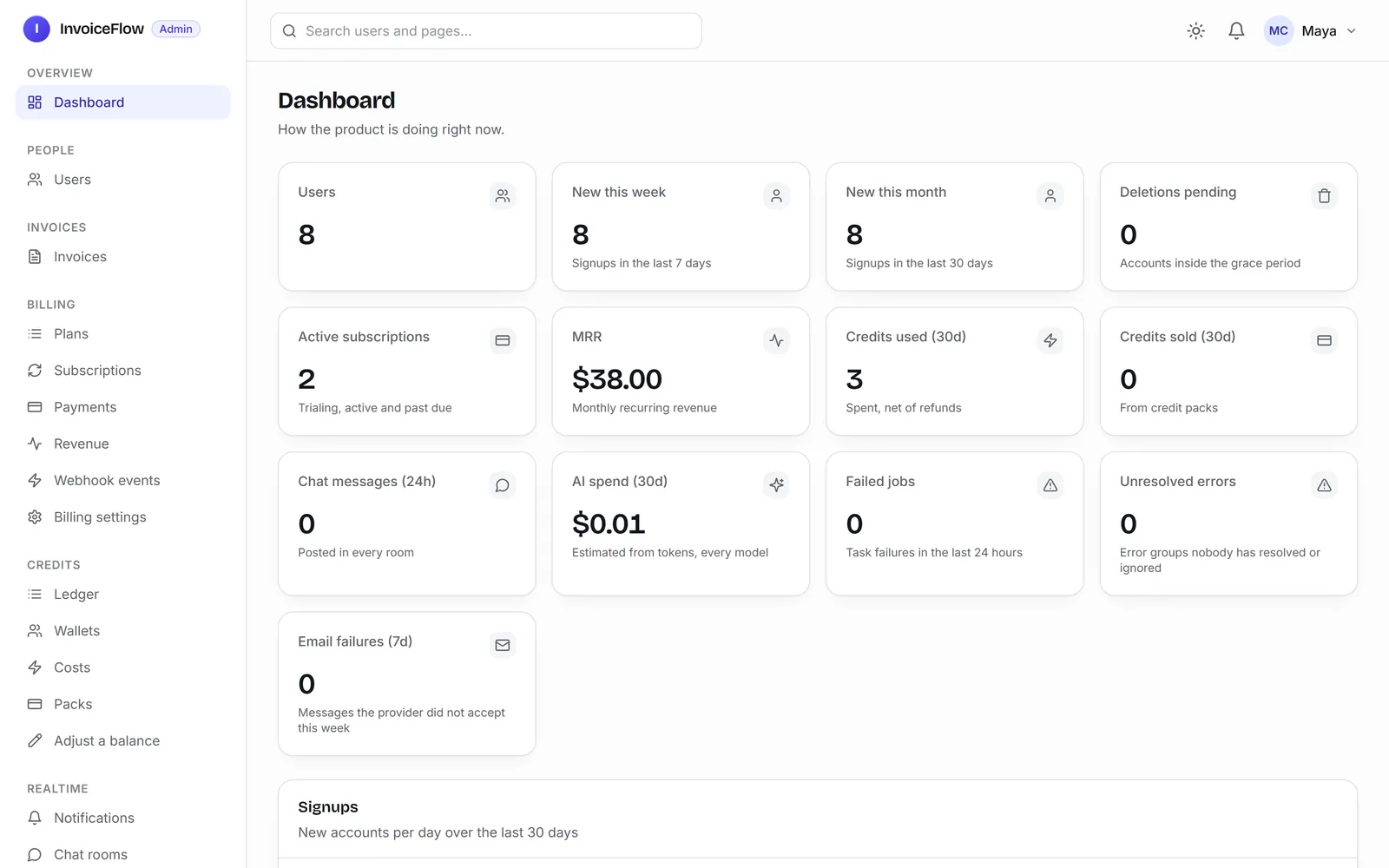
- panel: your admin panel. A dashboard with users, revenue and errors; users with roles and impersonation; every setting; the audit trail.
- ai: one function that calls Claude, a monthly budget cap, and a log of every call with its cost.
- emails: templates you can preview in the panel, SMTP or Resend, a log of every message.
- jobs: background tasks and schedules (django-q2).
- realtime: a notification bell that updates live, and chat rooms (Django Channels).
- analytics: Google Analytics 4 with a consent banner.
- monitoring: errors grouped in the panel, and the audit log.
- pages: the public landing, pricing, privacy and terms pages.
- dashboard:
/app/, the signed-in home where your product's pages live. - core: the shared base pieces every other app uses.
Measured on the current code: 797 files, 1,420 passing tests at 94 % coverage, 140 browser tests, 26 reference docs in the repo, English and Arabic both translated.
What you can build
Anything shaped like "people sign up, do something useful, and pay for it":
- an invoicing tool (you will build one in these docs)
- an AI writing or analysis tool that charges credits per use
- a booking or scheduling app for a small business
- a reporting dashboard you sell by subscription
- an internal tool with accounts, an admin panel and background jobs
What is not in it: teams and organizations (a subscription belongs to one user), a mobile JWT API, and a CMS. The front end is HTMX and Alpine, not React. If you need one of those on day one, Where Everything Is says what to do.
The proof
We built InvoiceFlow on a fresh copy, only by prompting Claude Code: invoices, a Pro plan sold through Stripe, an AI payment reminder, automatic reminder emails, a help page and the landing page. Seven prompts, 38.5 minutes of sessions. Then we deployed it to a fresh Coolify server.
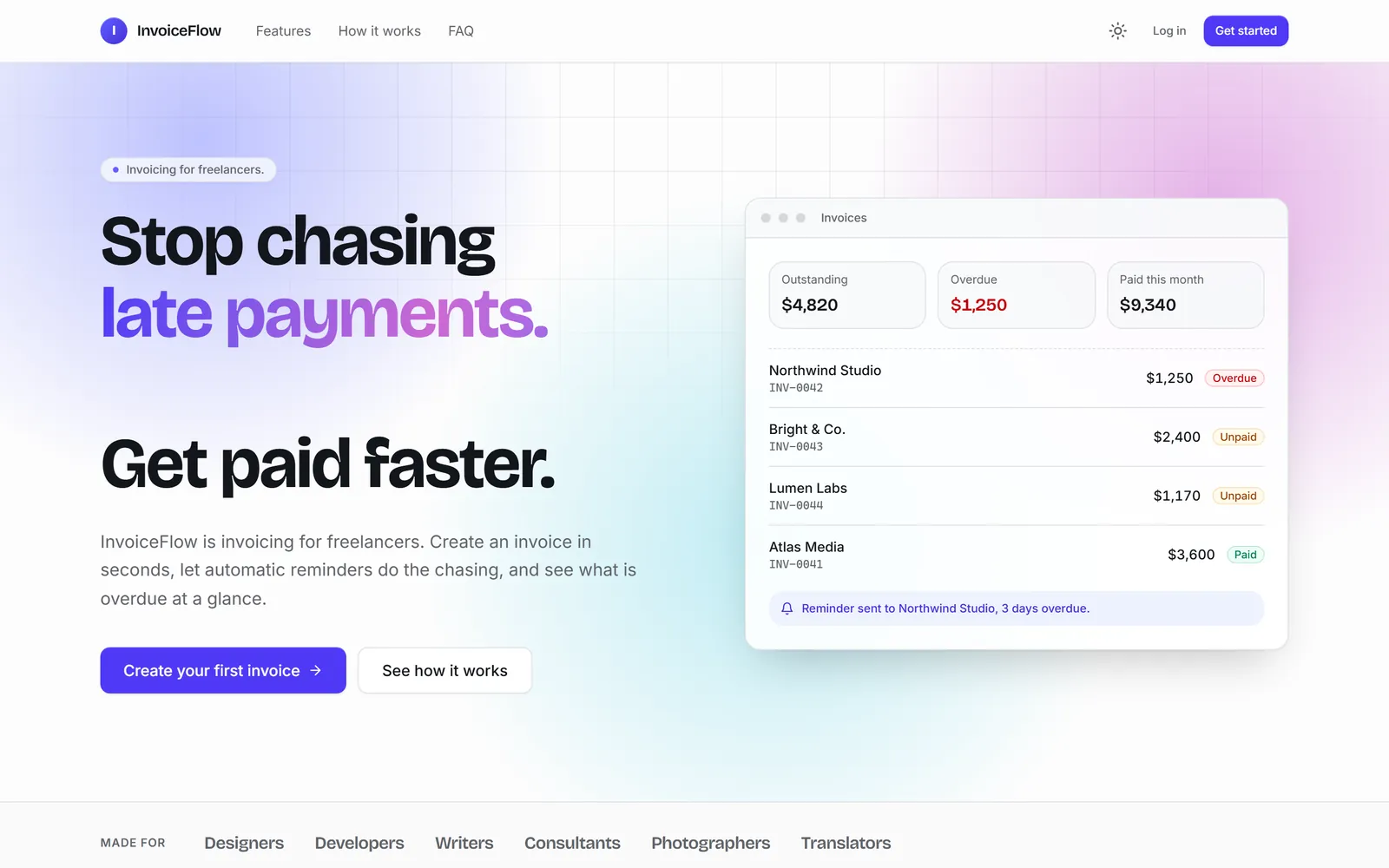
It runs Stripe in test mode, so you can try it with card 4242 4242 4242 4242: invoiceflow.lab.selfhostschool.com. Email verification is switched off on the demo so you can sign up in one step; your copy starts with it on. This is its admin panel after the first test purchases:
How the docs are organized
Go through the groups in order the first time: Start Here (you are here), Setup (get it running and open it in Claude Code), Your First Project (build a feature, sell it with Stripe, add AI), Make It Yours, and Ship. The 26 technical reference docs live in the repo's docs/ folder for when you need depth.
Next: Get the Code.