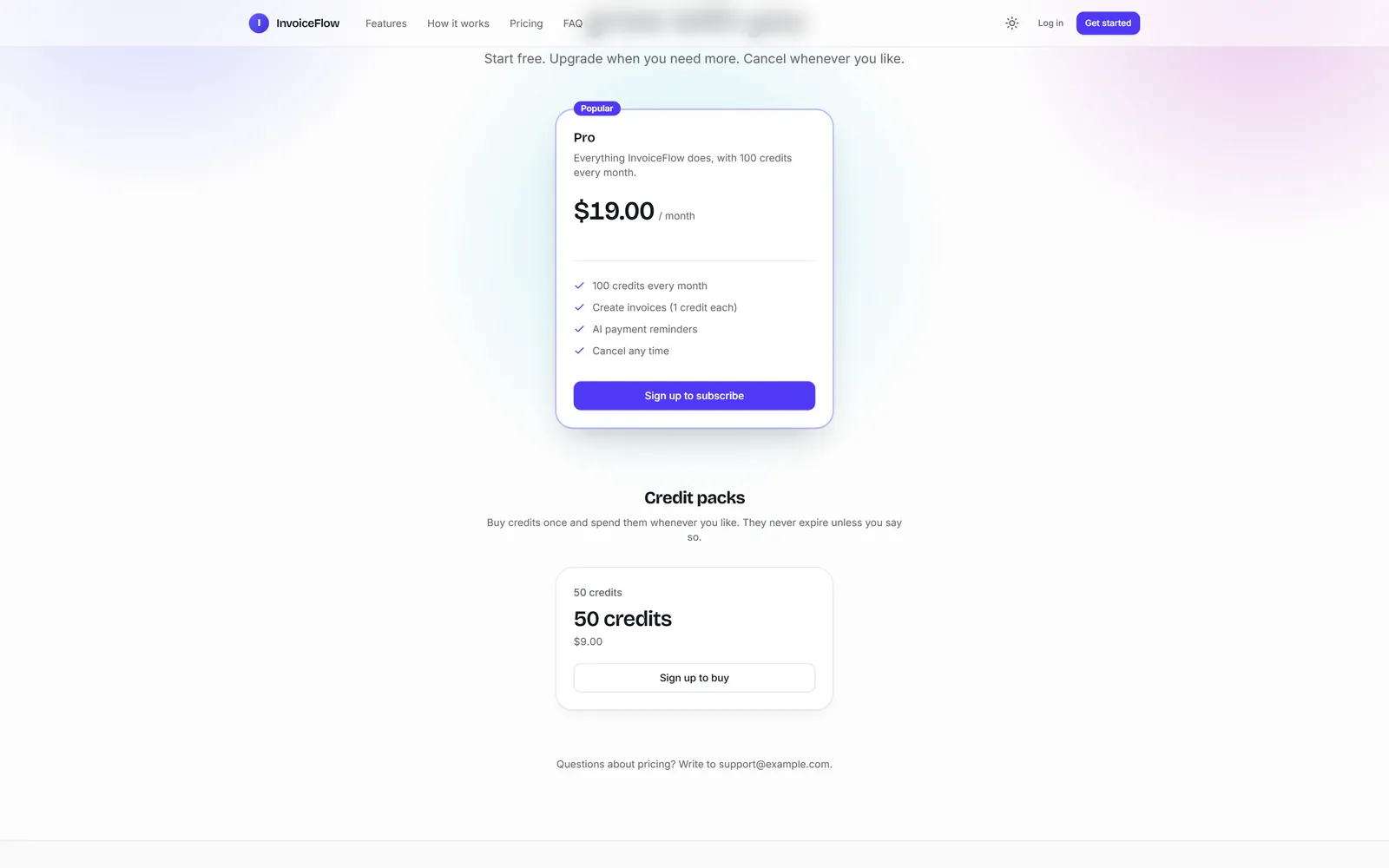
This part sells InvoiceFlow: a Pro plan at $19 a month with 100 credits every month, and a pack of 50 credits for $9. Everything here runs in Stripe's test mode, so no real money moves.
Tested against real Stripe
Every step on this page was run against Stripe's test mode while we wrote it, including a renewal and a failed card on a Stripe test clock. That run found six billing bugs, all fixed in release 1.0.2 before these docs were published.
1. Stripe keys
- Create a free Stripe account. Turn on Test mode.
- Developers, API keys: copy the Secret key (
sk_test_…) and the Publishable key (pk_test_…). - Put them in
.env:
STRIPE_SECRET_KEY=sk_test_...
STRIPE_PUBLISHABLE_KEY=pk_test_...
2. The Stripe CLI and the signing secret
Install the Stripe CLI (winget install Stripe.StripeCli on Windows, brew install stripe/stripe-cli/stripe on macOS) and run stripe login once. Then get the secret the CLI signs events with:
stripe listen --print-secretPut the whsec_… it prints in .env as STRIPE_WEBHOOK_SECRET, and restart uv run poe dev.
3. The prompt
Sell this app. Create a Pro plan at 19 dollars a month that gives 100 credits every month, and a one-off credit pack of 50 credits for 9 dollars. Turn billing on so the pricing page shows both, push the plans to Stripe (my test keys are in .env), and tell me what I still have to do in the Stripe dashboard. When you are done, run /ship.
It took 3.3 minutes and 22 turns ($0.70). The billing-plans skill loaded by itself. Plans are data in this project, not code, so no file changed: Claude created the plan and the pack in the database, switched billing on, and pushed both to Stripe. It also told us what is ours to do:
Production won't have these plans. Everything I did is in your local database and Stripe test mode, and production deploys start with an empty catalogue. On the live site, create the two plans in the panel (Billing → Plans), set the billing mode to
both, and click Sync to gateway once the live keys are in.
Its Stripe-dashboard list was right too: save the Customer portal settings once (Settings, Billing, Customer portal), set your branding, and keep the listener running while you test.
4. Run the listener
Stripe tells your app about payments through webhooks. On your computer, the CLI forwards them. Keep this running in a second terminal:
stripe listen --events checkout.session.completed,customer.subscription.created,customer.subscription.updated,customer.subscription.deleted,invoice.paid,invoice.payment_failed,charge.refunded --forward-to 127.0.0.1:8000/billing/webhooks/stripe/Name the events
A bare stripe listen --forward-to ... forwards nothing on the current Stripe CLI (1.53): it stops with "must specify events to forward". We met that on our first test purchase: the payment went through, the app never heard about it, no plan, no credits. The list above is the seven events the app uses. The panel's Billing settings page prints the same line.
5. Buy the plan with a test card
- Open
http://localhost:8000/pricing/:
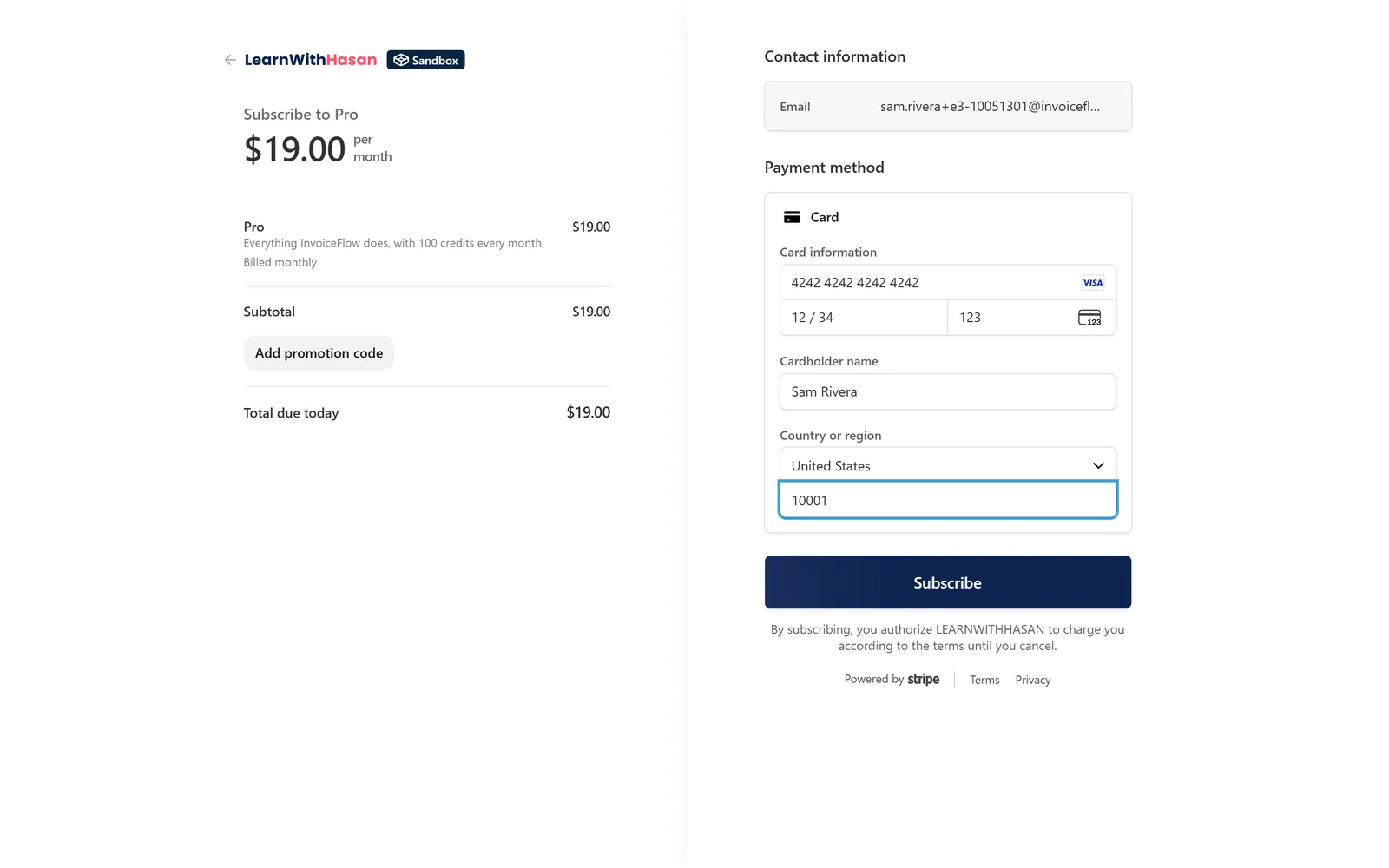
- Click Choose Pro. Stripe Checkout opens. Pay with card
4242 4242 4242 4242, any future date, any CVC, any postal code:
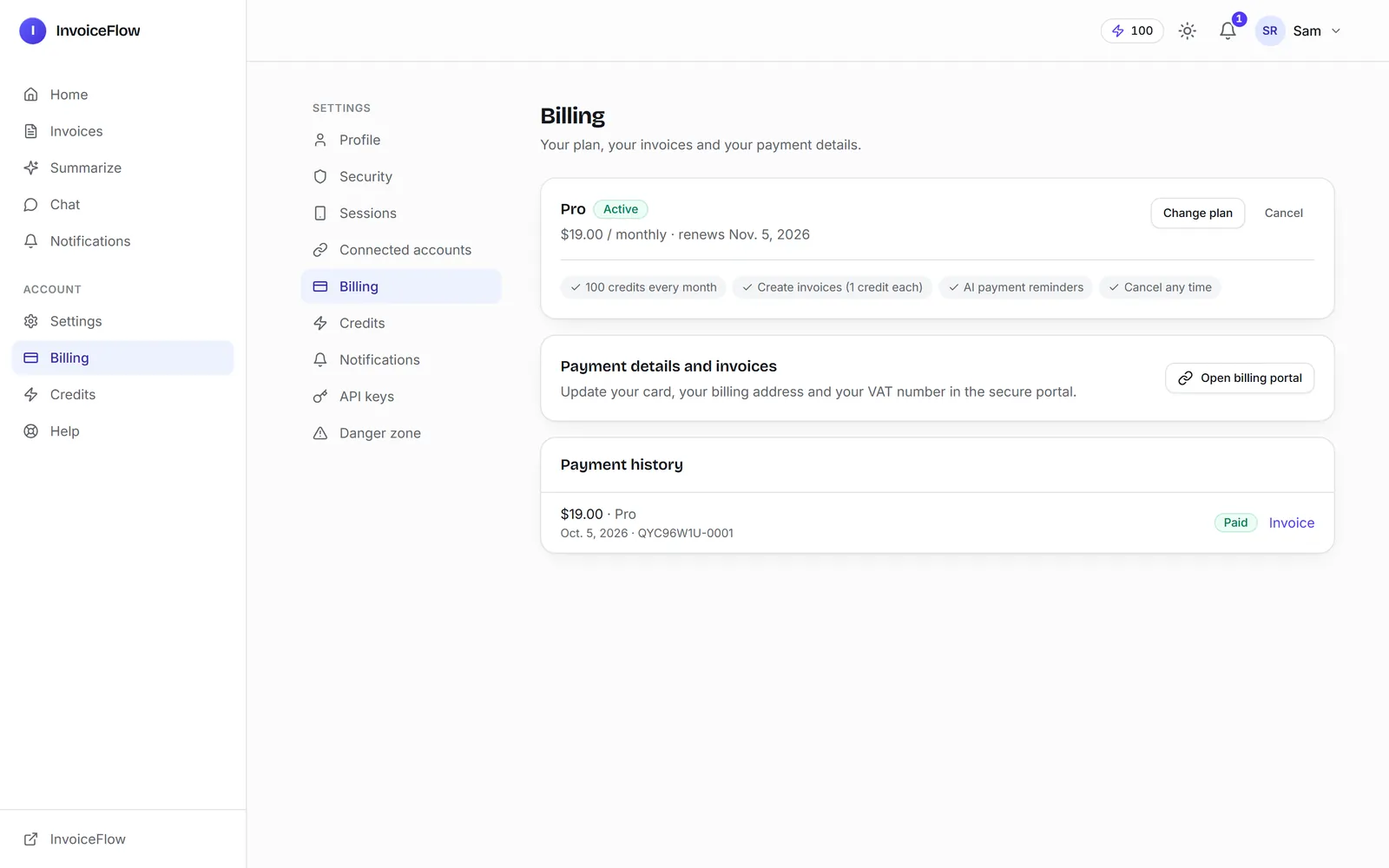
- Stripe sends you back to a "Thank you" page. Three seconds later the webhook has arrived: your plan is active, 100 credits are in your balance, and two emails went out (printed in the
poe devterminal): "Your Pro plan is active" and a receipt.
Your Billing page now shows the plan and its next renewal:
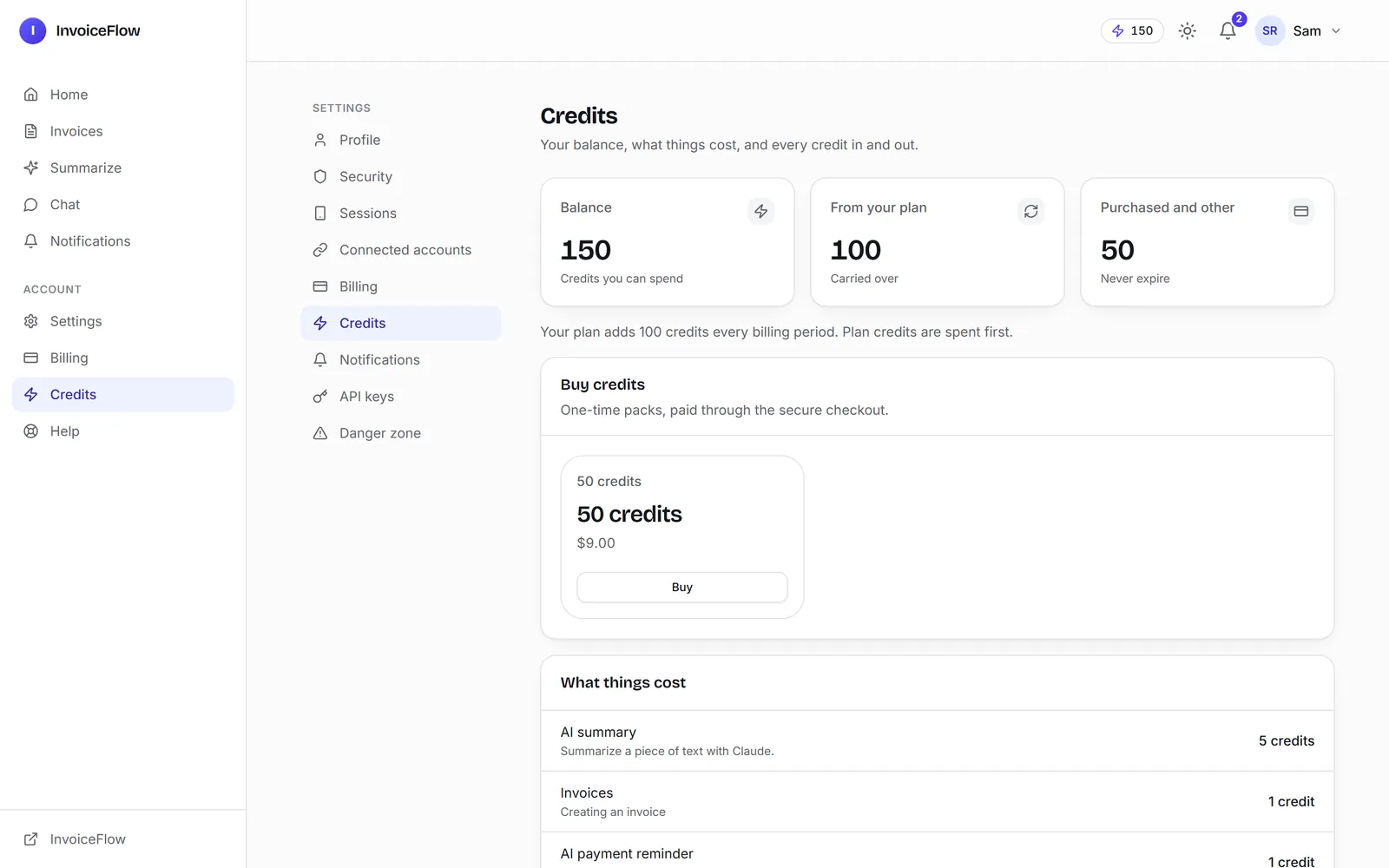
Buy the pack the same way (Buy on the pricing page): 50 more credits.
6. Cancel, keep, refund
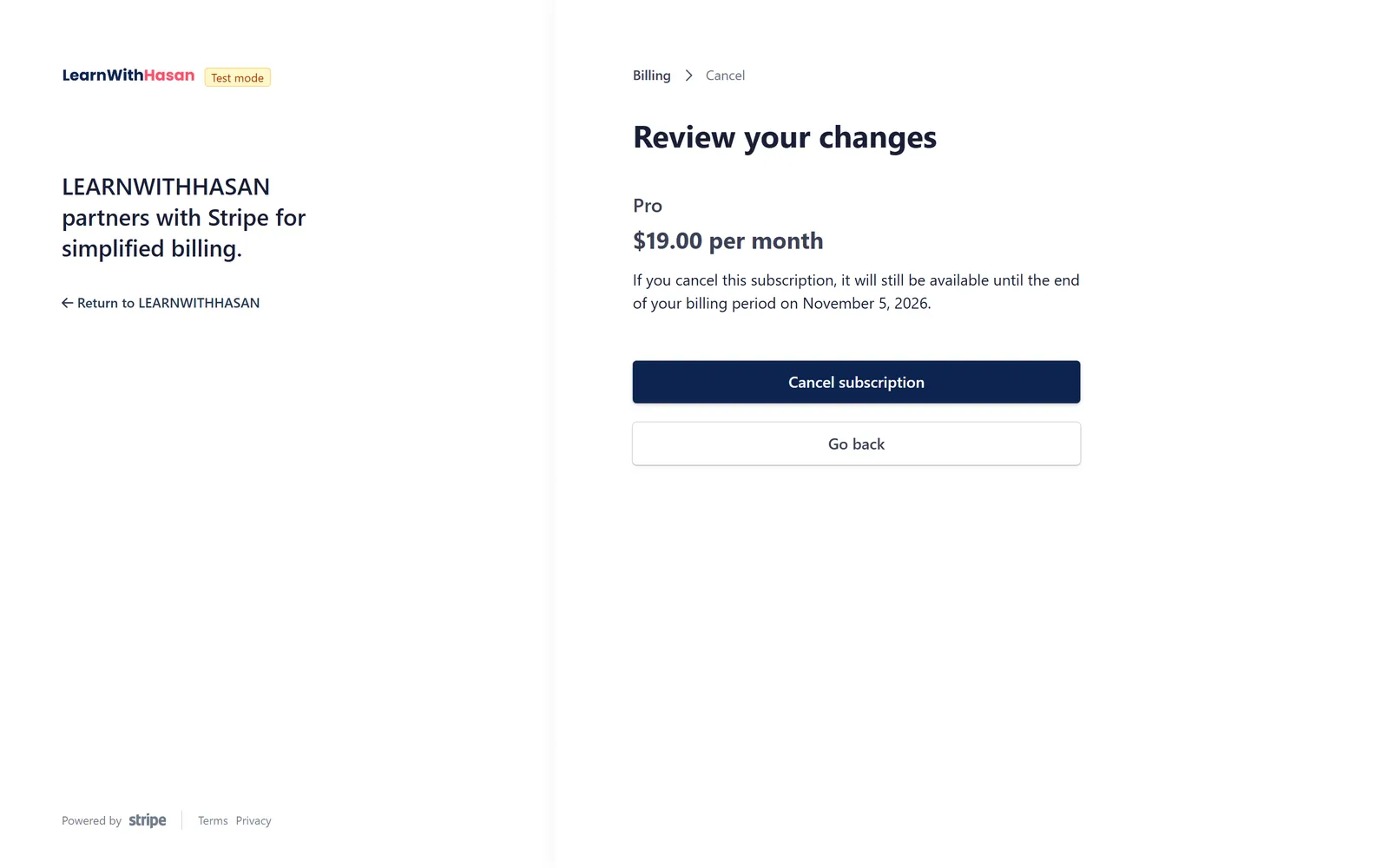
- Open billing portal on the Billing page takes your user to Stripe's portal: card, invoices, cancelling. Cancelling there asks an optional "why are you leaving" question first:
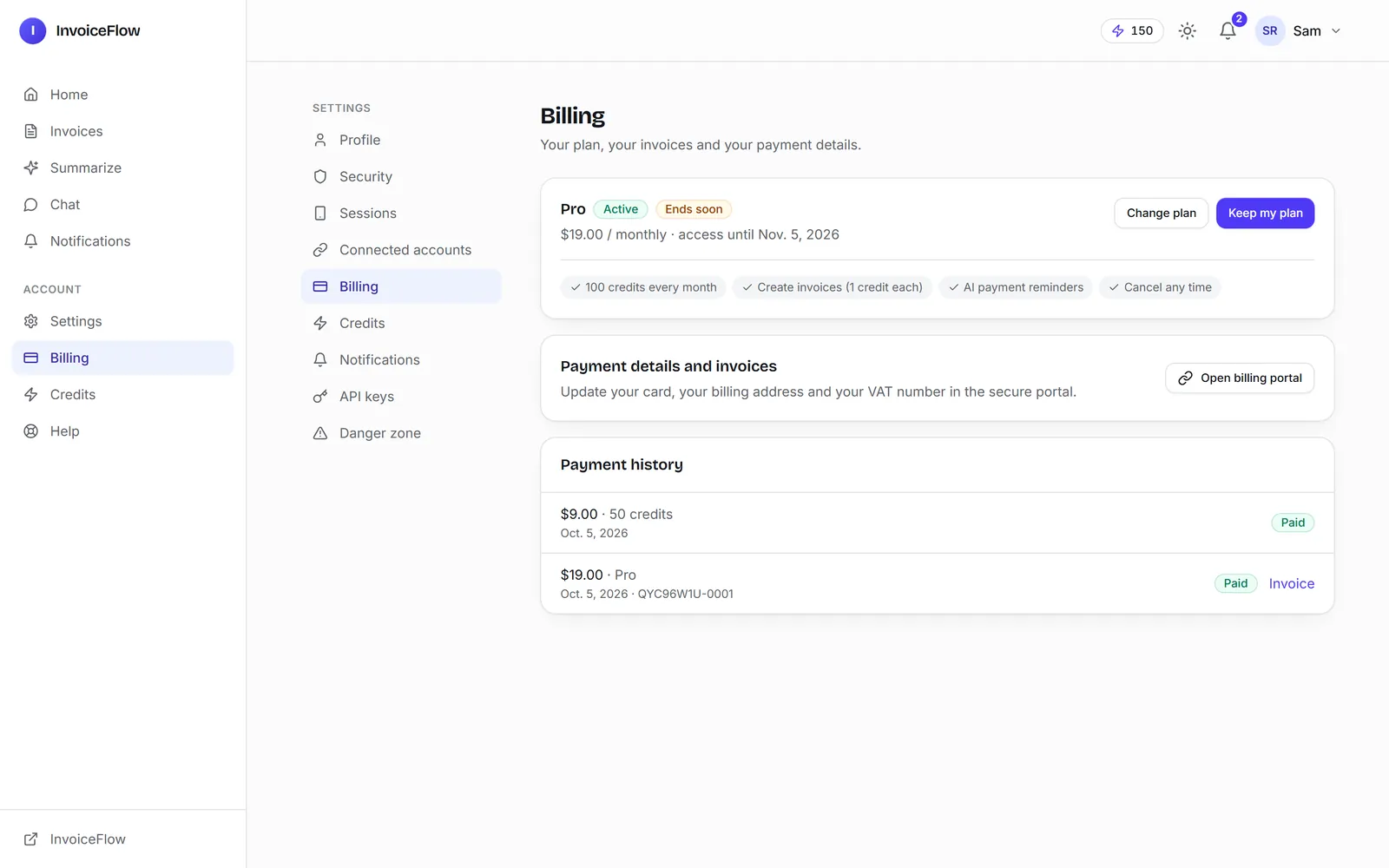
- Back in the app, the plan shows Ends soon: it runs until the period ends. Keep my plan undoes the cancellation, whether it was made in the portal or with the app's own Cancel button.
- Refund a payment in the Stripe dashboard: it shows as Refunded in the app. A refunded pack takes its credits back, as far as the balance allows.
When a renewal fails (we tested it on a Stripe test clock with a declining card): the plan goes past due, the user gets a "payment failed" email, and access continues for a grace period (3 days, a setting). If the card is fixed, it is active again; if not, the daily sweep ends access.
7. What you see in the panel
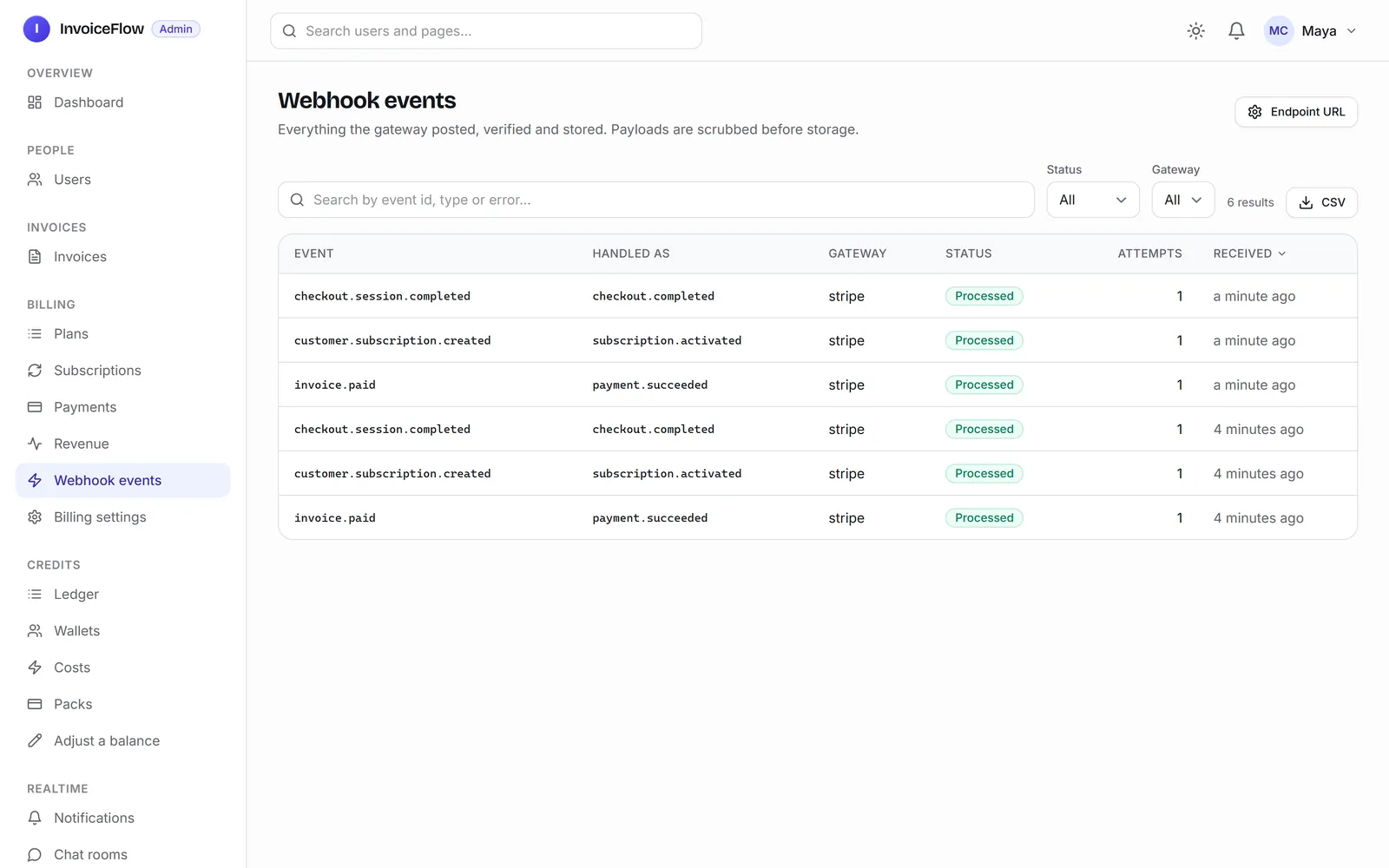
Billing, Payments lists every payment with its status and the hosted invoice. Webhook events lists every event Stripe sent, how it was handled, and a Replay button for one that failed:
Going live
When you deploy (see Put It on the Internet):
- Live keys in the server's environment.
- Stripe dashboard, Developers, Webhooks, add an endpoint
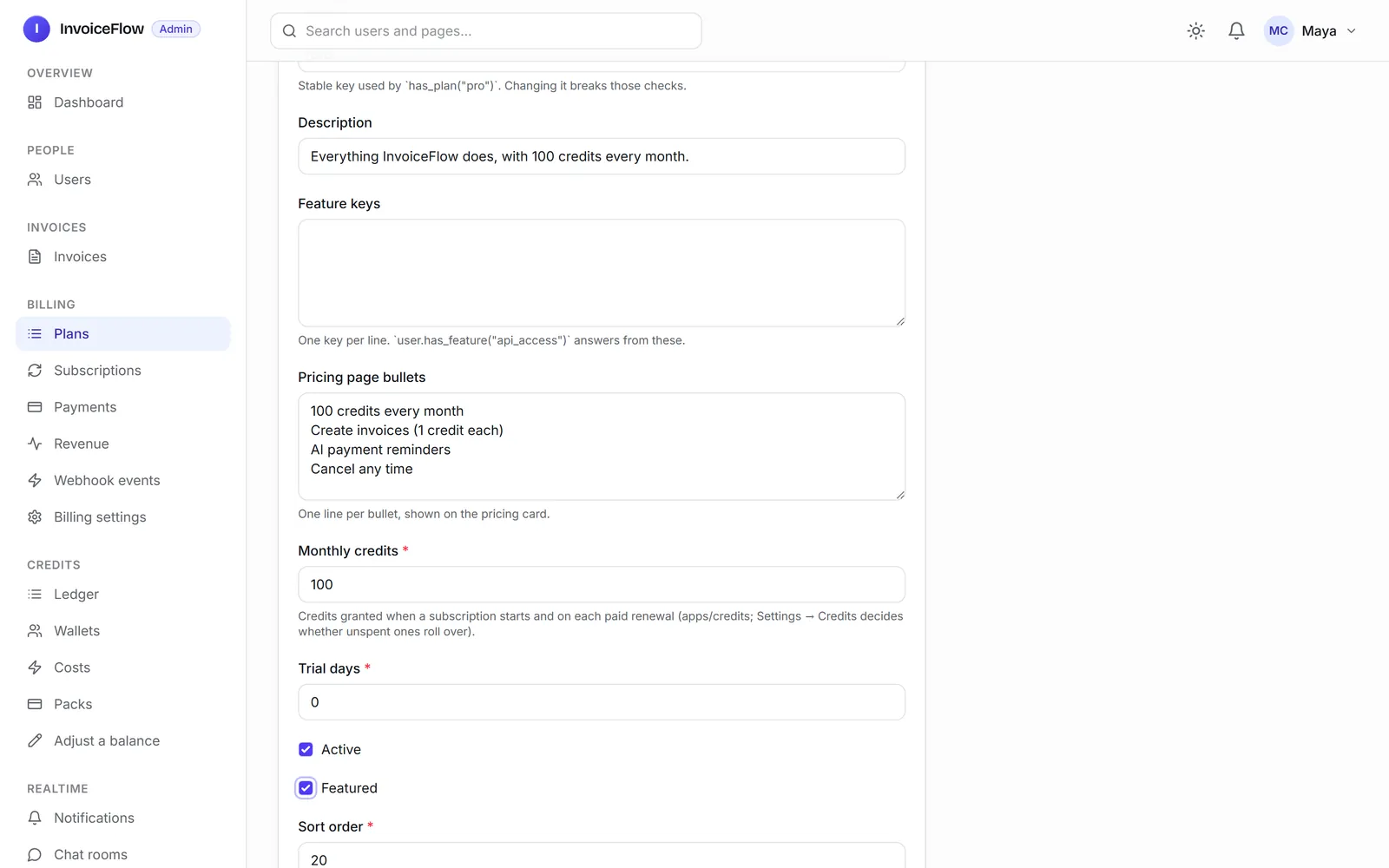
https://YOUR-DOMAIN/billing/webhooks/stripe/with these seven events:checkout.session.completed,customer.subscription.created,customer.subscription.updated,customer.subscription.deleted,invoice.paid,invoice.payment_failed,charge.refunded. Its signing secret goes inSTRIPE_WEBHOOK_SECRET. Any API version works. - Create the plans in the panel, Billing, Plans, add their prices, set Billing settings to
both, and click Sync all to gateway:
Next: Add an AI Feature.