After purchase, the landing page shows a Repo Access panel. This page takes you from that panel to the code sitting on your computer.
1. Connect GitHub and accept the invite
- On your boilerplate page, click Connect GitHub in the Repo Access panel.
- Approve the GitHub authorization. We send a collaborator invite to your GitHub account automatically.
- Open github.com/notifications (or your email) and accept the invitation to
mcp-api-starter-template.
That's it. You now have read access to the private repo, including every future update.
Invite not showing?
Invites can take a minute. Refresh the boilerplate page: the panel polls your invite status and shows a direct link. If it still says pending after a few minutes, disconnect and reconnect GitHub on the same panel.
2. Get the code onto your computer
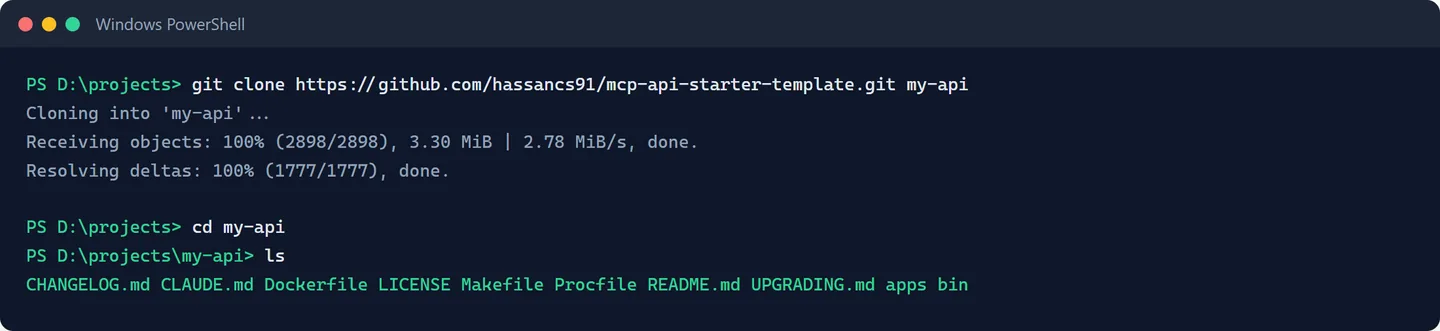
Path A (Git, recommended):
git clone https://github.com/hassancs91/mcp-api-starter-template.git my-api
cd my-api
my-api at the end names your local folder. Pick anything.
Path B (no command line):
- Install GitHub Desktop and sign in.
- File → Clone repository → pick
mcp-api-starter-templatefrom the list. - Choose a folder and clone. GitHub Desktop shows you a normal folder when it's done.
Don't download the ZIP
The green "Code → Download ZIP" button works once, but a ZIP can't receive updates. Clone with Git or GitHub Desktop so git pull (or the "Pull" button) brings every improvement we ship.
3. How updates work
Your purchase includes lifetime updates. When we push improvements:
git pullIn GitHub Desktop that's the Pull origin button. The CHANGELOG marks anything [SECURITY] as pull-within-a-week, and [BREAKING] entries come with exact upgrade steps.
What you're allowed to do
One purchase = one commercial product (plus unlimited learning projects and prototypes). Modify anything, keep your fork private, deploy anywhere. The only hard no: don't republish or resell the template itself. Your own app's code is yours. Full plain-English terms are in the repo's LICENSE file.
Next: Run It on Your Computer.