This is where the boilerplate earns its price. You'll make the QR endpoint cost 1 credit per call, and the framework will do everything that normally takes weeks: refuse anonymous calls, charge per call, refund on errors, and keep an auditable ledger.
1. One argument
In apps/app_endpoints/qr_code/endpoints.py, change the decorator line:
@endpoint(slug="qr-code", description="Turn any text or link into a QR code image.", credits_cost=1)Reload:
.\scripts\stack-up.ps1 -ReloadThat's the entire billing integration. No Stripe code, no middleware, no charge logic in your run().
2. Watch it refuse
An anonymous call (no API key) now gets HTTP 401. A logged-in user with an empty balance gets this instead:
{"error": {"code": "insufficient_credits", "message": "Need 1 credit(s); balance is 0. Top up at /dashboard/billing/.", "required": 1, "available": 0}}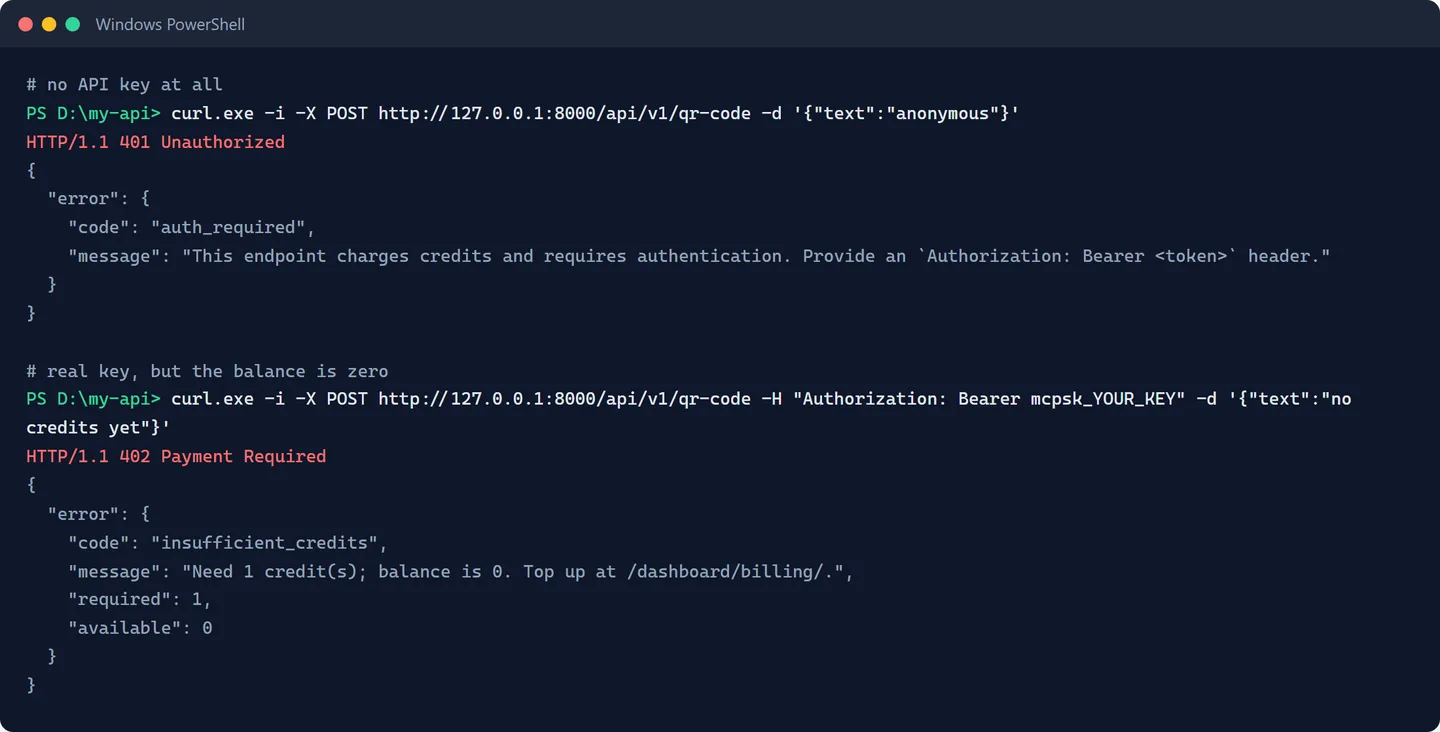
Both straight from our lab run. Note what you did NOT build: the refusal message, the error code, the pointer to the top-up page.
3. Grant yourself credits
You're the operator, so give the demo user some balance: open the admin console (the private URL from setup), go to Users, open [email protected], and use Adjust credits to add 10. The adjustment is written to the ledger with your name and reason.
4. Make paid calls
Call the endpoint 3 times with your API key:
Invoke-RestMethod -Uri http://127.0.0.1:8000/api/v1/qr-code -Method Post -Headers @{Authorization='Bearer mcpsk_YOUR_KEY'} -ContentType 'application/json' -Body '{"text":"paid call"}'Then look at the dashboard's usage page, or the admin's call log. From our run, after granting 10 and calling 3 times:
balance: 7
ledger: adjust  +10  reason='docs walkthrough grant'
ledger: consume  -1  (x3)
calllog: qr-code status=200 credits_charged=1  (x3)
calllog: qr-code status=402 credits_charged=0  (the refusal from step 2)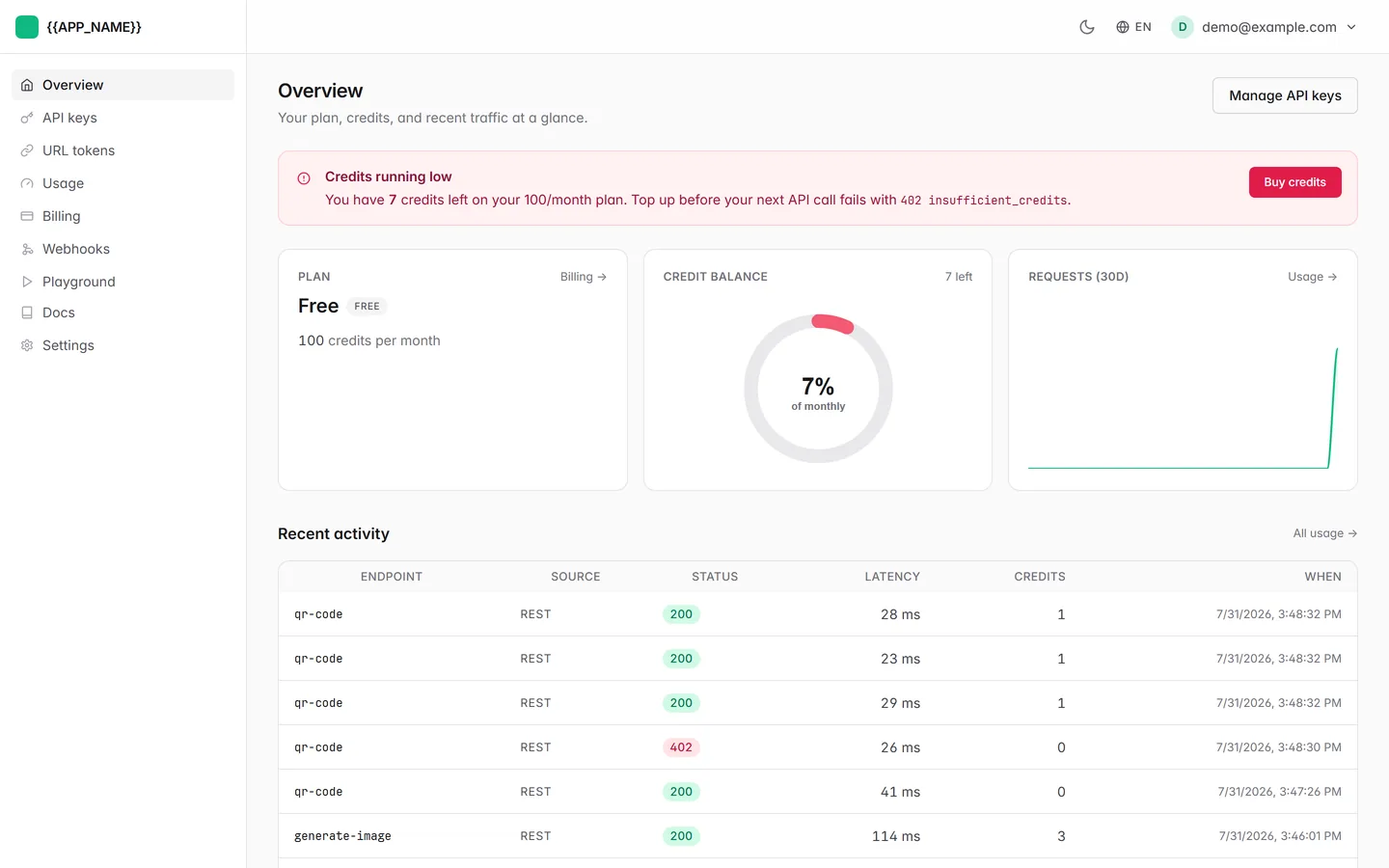
Calls made from Claude over MCP hit the same meter. One billing brain, every surface.
Do I need Stripe?
No. Credits work standalone: you grant them manually (or on any trigger you like), the framework enforces them. Connect Stripe later and users buy credit packs and subscriptions themselves; the repo's docs/BILLING.md walks through the whole setup, and docs/recipes/credit-only-mode.md covers running credits-only forever.
Errors refund automatically
If your run() raises an exception after the charge, the framework refunds the call. Your users never pay for your bugs. That behavior is tested in the suite.
Your first project is complete: a paid, AI-callable, documented API. Next stop: Make It Yours.