Payments sit behind one PaymentAdapter with three implementations: RevenueCat for in-app purchases, Stripe for web checkout, and noop for when nothing is configured. Your screens never branch on which one is active.
Gate a screen in one line
Take the Notes screen from Build Your First Screen and make it paid:
import { Gated } from '@repo/payments';

export default function NotesScreen() {
  return (
    <Gated entitlement="pro">
      {/* everything you already wrote */}
    </Gated>
  );
}
Without the pro entitlement, the user gets the paywall screen. With it, they get your screen. If you need the raw boolean, use useEntitlement("pro").
What you see before you configure anything
With no RevenueCat key, the paywall renders a placeholder that names the missing key. That is intentional, so the route works while you build. It also means you cannot test a real purchase in a browser: in-app purchases need a development build on a real device plus a store sandbox account.
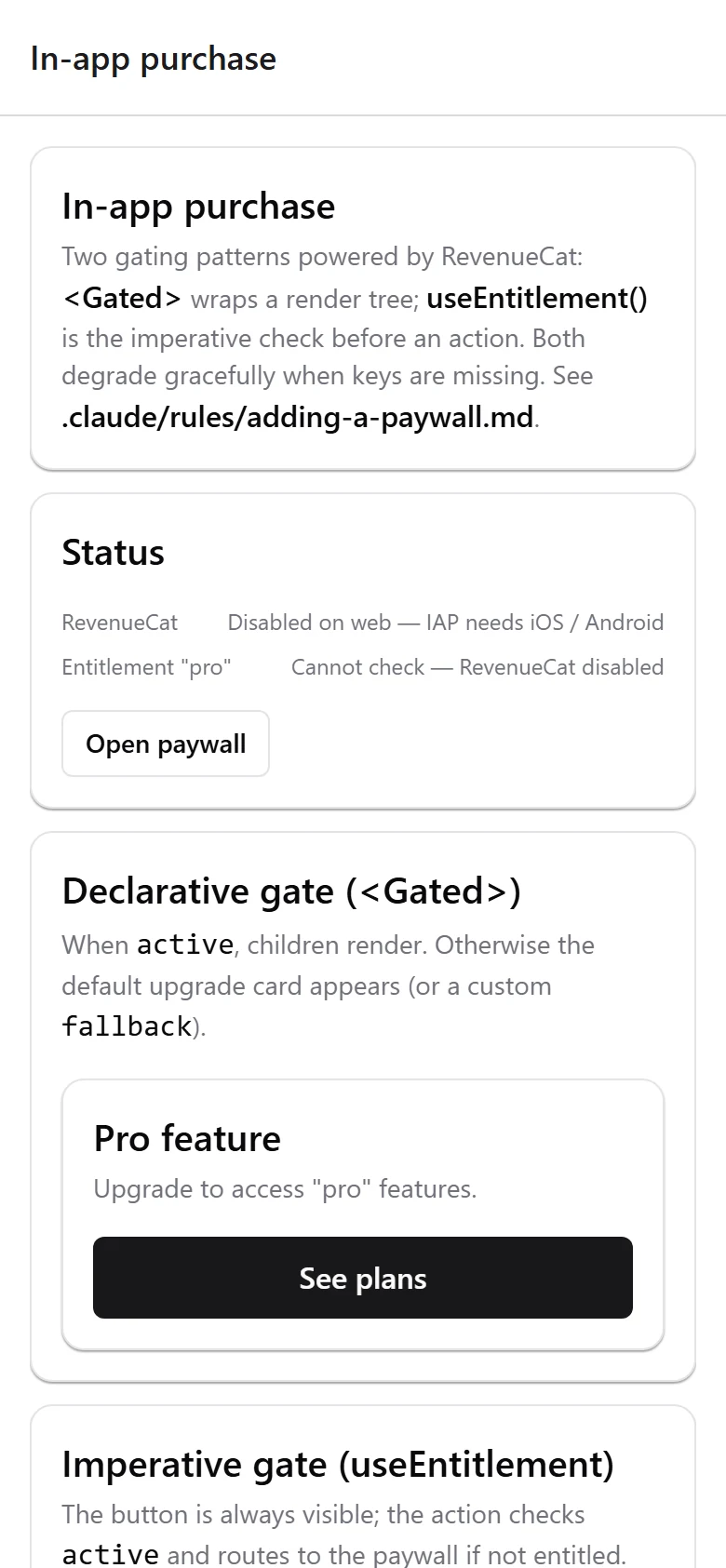
Plan for that. It is the one part of this boilerplate you cannot exercise on your laptop alone.
RevenueCat, for in-app purchases
Subscriptions and one-time purchases go through react-native-purchases. The backend ingests RevenueCat webhooks into an entitlements table, so one user can hold several entitlements at once.
Stripe, for web checkout
For non-IAP payments the boilerplate talks to Stripe's REST API directly rather than bundling the full SDK. The backend verifies the webhook signature and handles repeat deliveries safely.
Leave STRIPE_SECRET_KEY empty and /payments/* returns 501, which keeps the surface off until you want it.
Know Apple's rules before you ship
Digital goods used inside your app generally must use in-app purchase. Stripe is for physical goods, services consumed outside the app, and certain business models. Getting this wrong is a rejection, sometimes after your app is already live. The full decision matrix is in docs/recipes/non-iap-payments.md. Read it before your first submission.
Testing the flow
@repo/payments ships 22 passing tests covering the adapter contract, entitlement resolution, and webhook handling. Run them with pnpm --filter @repo/payments test.
Next: Make It Yours.