This is the part that turns your app into a product. The licensing system is already built and running. What is missing is your answer to one question: is this key real?
What already works, before you write anything
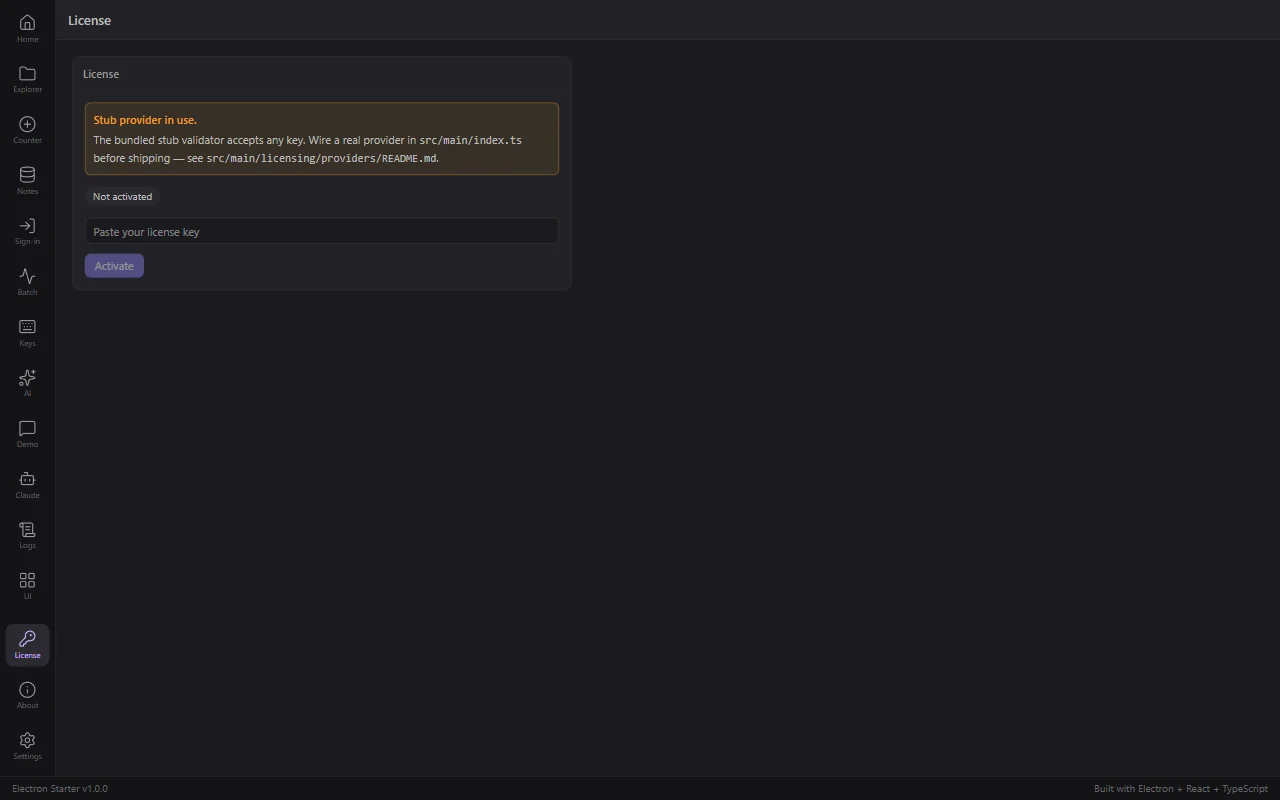
Run the app and open the License screen:
- entering a key and activating it
- refusing a key, with a reason your UI can display
- storing the key encrypted by the operating system
- staying valid for 7 days with no network
- deactivating, back to unlicensed
Verified on a packaged build, not asserted:
activate "INVALID-TEST-KEY"    -> status invalid, reason "stub explicitly rejects this key"
activate "ESTK-4C9A-77B1-2F60" -> status active, masked "ESTK-****-****-2F60"
restart the app                -> still active
deactivate                     -> inactive
The key was checked against every file the app writes. It appears in plaintext in none of them.
The one thing you have to build
The bundled validator is a stub. It accepts any key you type, which is what you want while you build the screens, and exactly what you must not ship.
The stub accepts everything
A packaged app running the stub gives your product away. The app logs a warning at startup and shows one in the License panel, but nothing stops you shipping it. Replace it before your first paid release.
1. Ask for your validator
In this Electron template, replace the stub license provider with one that validates keys against my backend at https://api.example.com/licenses/validate, which takes { key } and returns { valid, email, reason }.
Follow the LicenseValidator interface in src/main/licensing/types.ts and the skeletons in src/main/licensing/providers/README.md. Set isStub = false. Important: if the request fails because of a network problem, throw rather than returning invalid, so the offline grace window still covers the user. Only an explicit valid: false from the backend should revoke access.
That last instruction is the one worth insisting on, and it is worth understanding why rather than trusting it.
2. The distinction that matters
A validated license keeps working for 7 days without a network. When revalidation fails because of a network problem, the user stays where they are and the clock keeps running. Only an explicit invalid answer from your backend revokes access.
Get that backwards and every customer on a plane, on hotel wifi, or behind a corporate proxy loses access to software they paid for. It is the single most expensive mistake in this file, and it is one line.
3. Check three things
isStubisfalseon your provider, or the startup warning stays.- A network failure throws, rather than returning
{ kind: 'invalid' }. Ask your agent to show you that branch specifically. - The provider is actually wired in.
src/main/index.tsshould pass yours tolicenseManager.init({ provider: ... }).
Show me the code path that runs when the validation endpoint is unreachable, and walk me through what licenseManager.current().status becomes for a user who activated last week and is now offline. If it is anything other than still-active-within-grace, fix it.
4. Decide what unlicensed means
The template stores the state and shows it. What an unlicensed user can still do is your product decision, and it deserves a deliberate answer rather than a default.
Common choices: everything works but exports carry a watermark; a 14 day trial; the app opens read-only. Read licenseManager.current().status, which is one of inactive, active, invalid, or grace_expired.
The counter shows whole days
Activate a license and the remaining grace reads 6, not 7, because it rounds down a window that is 6.99 days old the moment it starts. The policy is 7 days. Say "7 days" in your marketing and let the counter count down.
If you want to read the code
A provider, in full
import type { LicenseValidator, ValidationResult } from '../types';

class MyLicenseProvider implements LicenseValidator {
  readonly name = 'my-backend';
  readonly isStub = false;

  async validate(licenseKey: string): Promise<ValidationResult> {
    const res = await fetch('https://api.example.com/licenses/validate', {
      method: 'POST',
      headers: { 'content-type': 'application/json' },
      body: JSON.stringify({ key: licenseKey }),
    });

    if (!res.ok) {
      // A network problem is NOT an invalid key. Throwing here keeps the user
      // inside the offline grace window instead of locking them out.
      throw new Error(`Validation endpoint returned ${res.status}`);
    }

    const data = await res.json();
    if (!data.valid) {
      return { kind: 'invalid', reason: data.reason ?? 'This key is not valid.' };
    }
    return { kind: 'valid', userEmail: data.email };
  }
}

export const myLicenseProvider = new MyLicenseProvider();licenseManager.init({ provider: myLicenseProvider });src/main/licensing/providers/README.md in the repo has skeletons for Gumroad, Lemon Squeezy and a plain custom endpoint.
Next: Make It Yours.