The Electron Boilerplate Your AI Agent Already Understands
Electron 41, React 19 and TypeScript, with 950 lines of rules your coding agent reads before it writes anything. Same request, same structure, with a test, every time. Measured against a plain scaffold: 83 percent consistent versus 61.
The second feature is where AI-built apps come apart
Your agent builds it, it works, you ship. Nothing looks wrong yet.
A second folder layout, a second way of doing IPC, and styling written from scratch again.
Nobody can tell the agent where anything goes, including you, so every change turns into a rewrite.
That is not a coding problem, it is a conventions problem, and an empty project has no conventions to give. We measured it: the same agent, the same one-sentence request, three times, in a plain Electron scaffold produced three different architectures. In this repo it produced the same thirteen files every time.
Your agent reads 950 lines of rules before it writes a line of code
Not a README it might skim. A file Claude Code, Cursor and Copilot load first, that tells them where every kind of code goes in this repo.
# CLAUDE.md — Instructions for Claude Code

> **Read this file before writing any code.** It defines
> the architecture, rules, and conventions for this
> project. **These rules override generic best
> practices.** When this file conflicts with a habit,
> follow this file.

⋮

## Common AI mistakes to avoid

These are the mistakes AI tools commonly make on this
codebase. Don't make them.

1. **Over-abstracting after one example.** If you write
   a function once, don't generalize it. Wait for a real
   second use case. The "rule of three" applies — extract
   on the third use, not the second.

2. **Adding unused exports.** If a function isn't
   imported anywhere, delete it. Don't "expose for
   future use." Dead exports rot.

3. **Generic catch-all error handling.** Don't
   `catch (e) { console.log(e) }`. Either handle the
   specific error meaningfully or let it bubble to the
IPC boundary or ErrorBoundary.Four lookup tables covering screens, IPC channels, components, hooks and services. Your agent looks the answer up instead of inventing one.
A section called "Common AI mistakes to avoid" that lists them one at a time, from over-abstracting after a single example to claiming work is done before testing it.
npm run new:feature and npm run new:ipc write the wiring across all five places a feature touches, so your agent fills in logic rather than layout.
Same agent, same one-sentence request, three runs. Here it touched the same thirteen files every time. In a bare electron-vite scaffold: 61 percent, three different architectures, and no tests at all.
Every system you'd build yourself — already wired up
The first group is the one that matters if you build with an agent. The rest is the chassis it gets to build on.
Rules Your Agent Reads First
Distribution & Auto-Update
Licensing & Activation
AI Inside the App
The Desktop Chassis
When Something Goes Wrong
Real screens, not mockups
Every screen below is the boilerplate running unmodified. Tap through the tour.
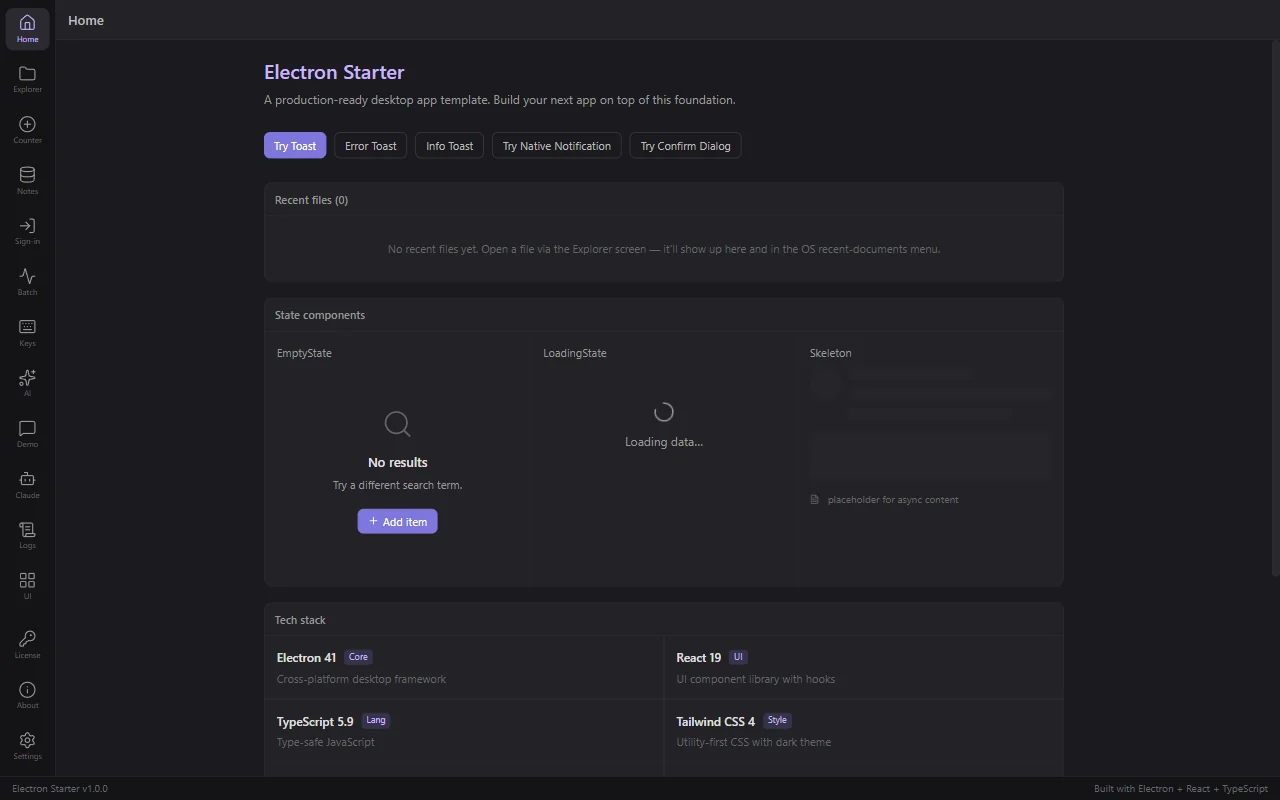
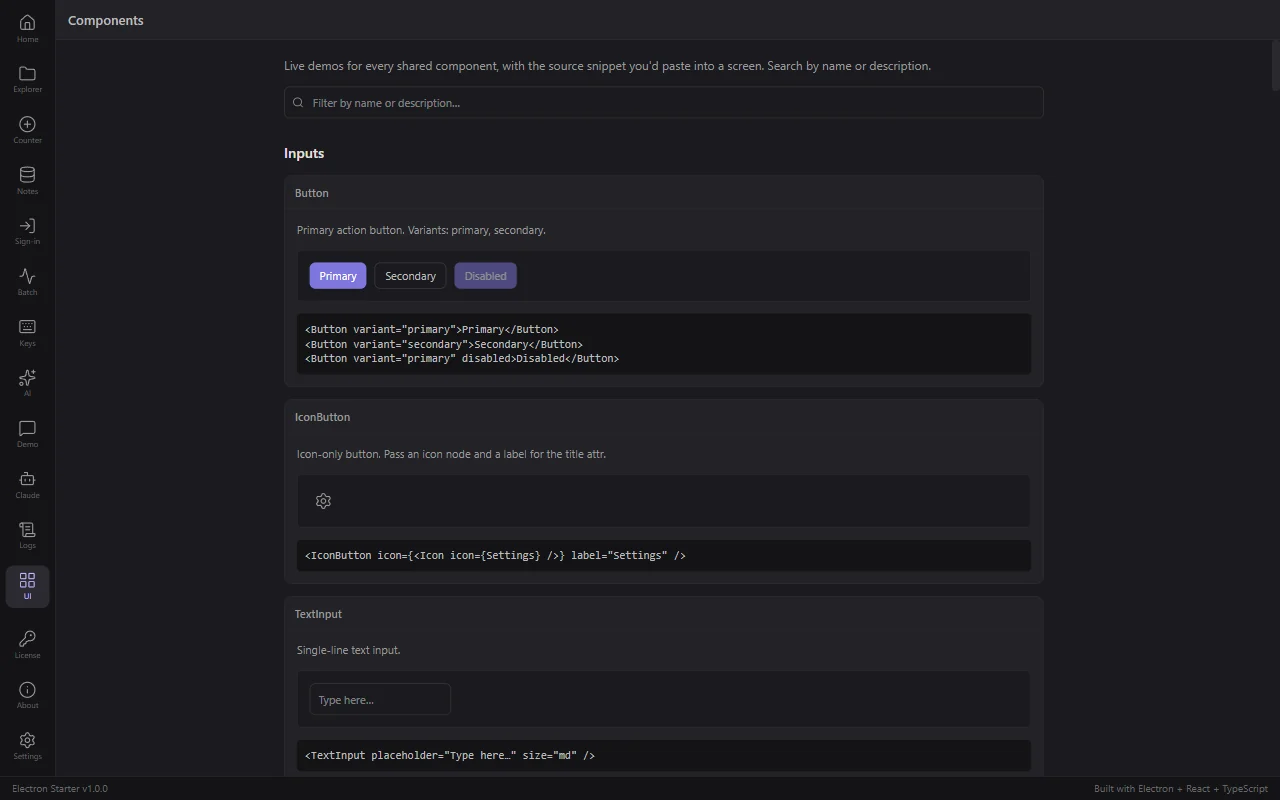
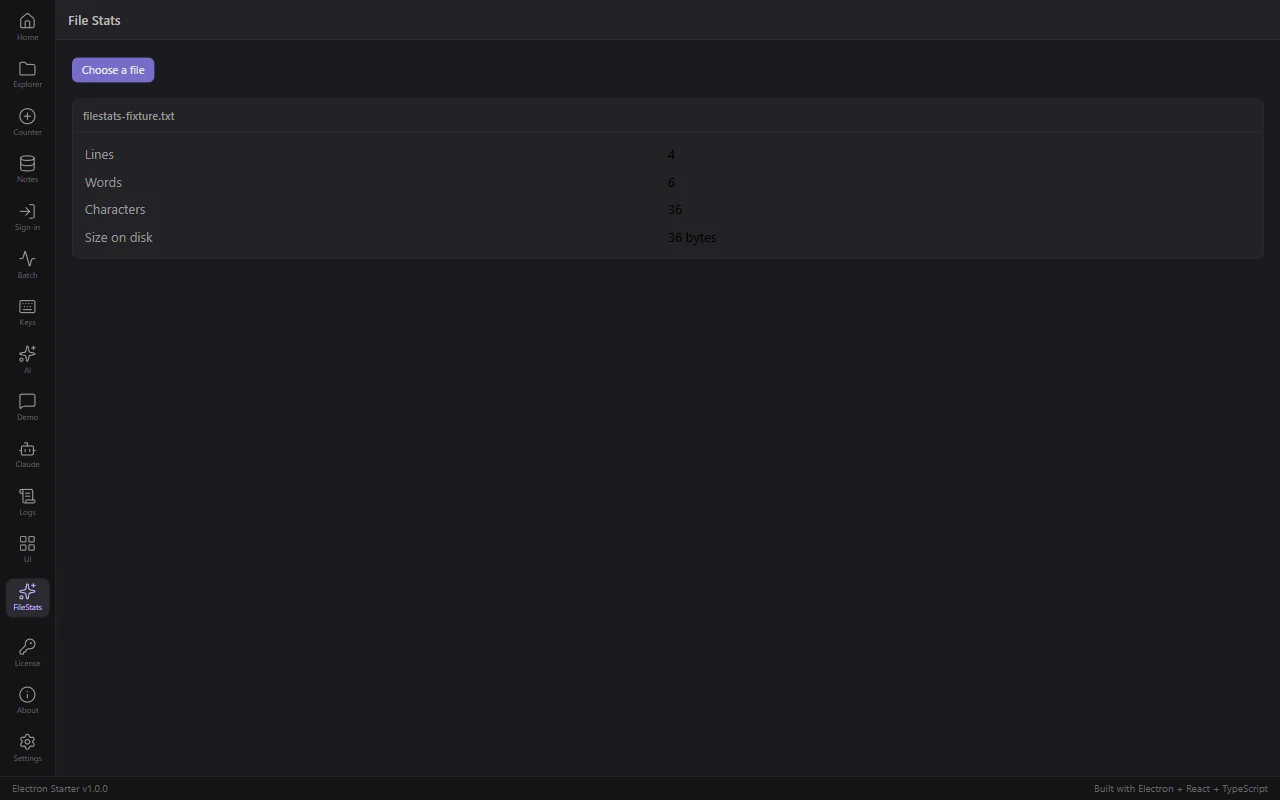
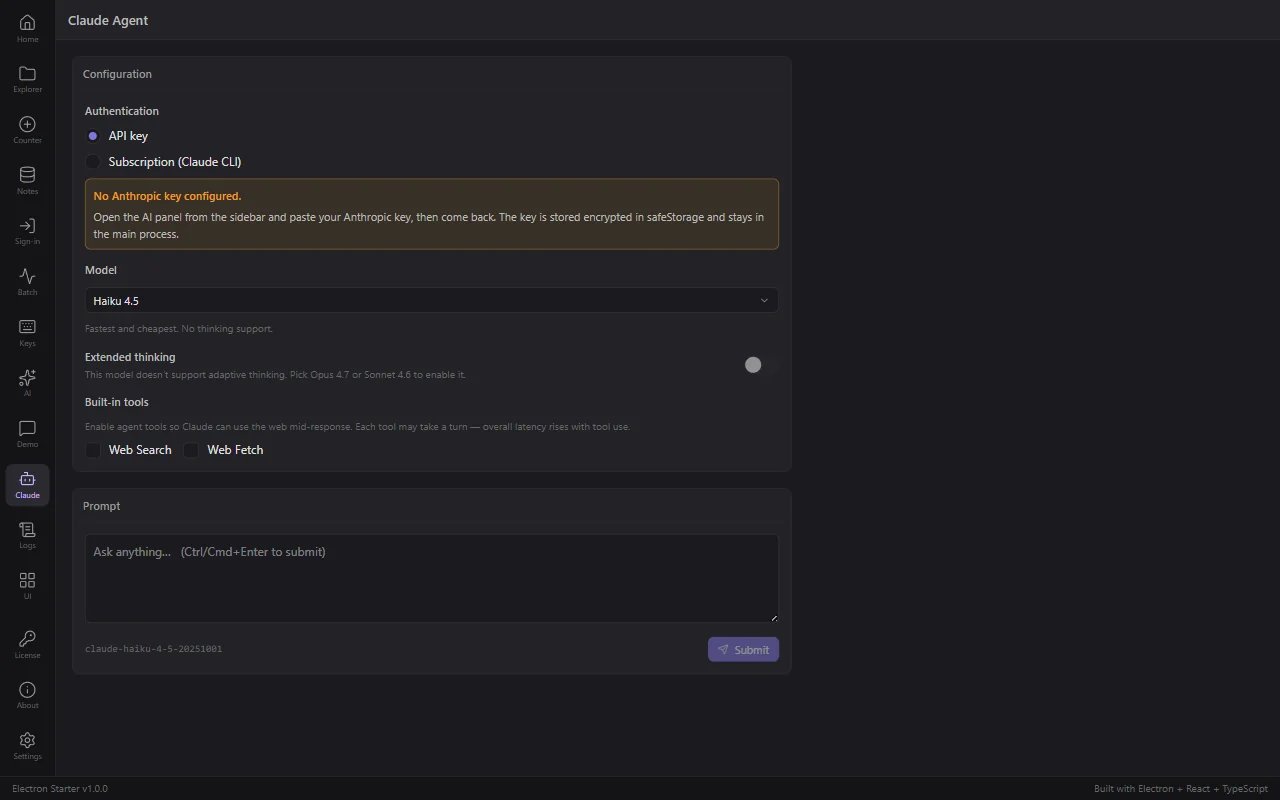
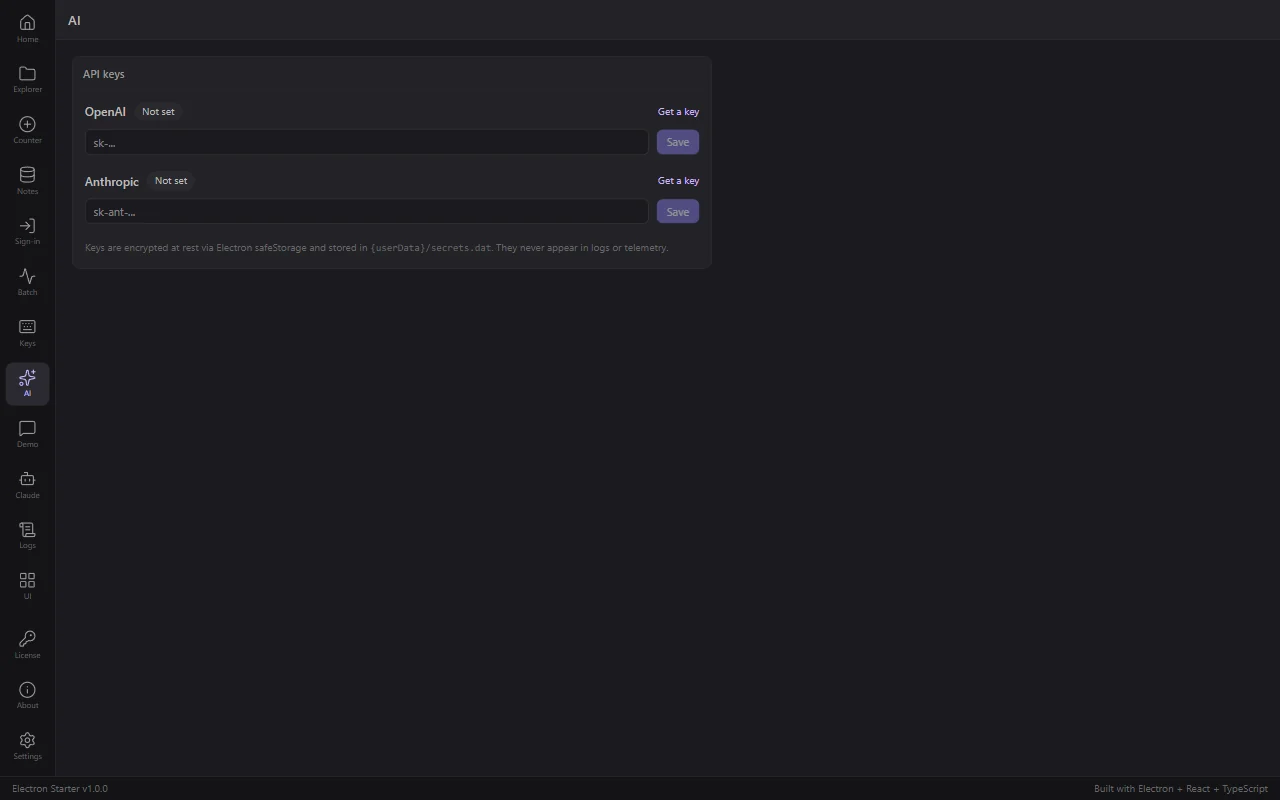
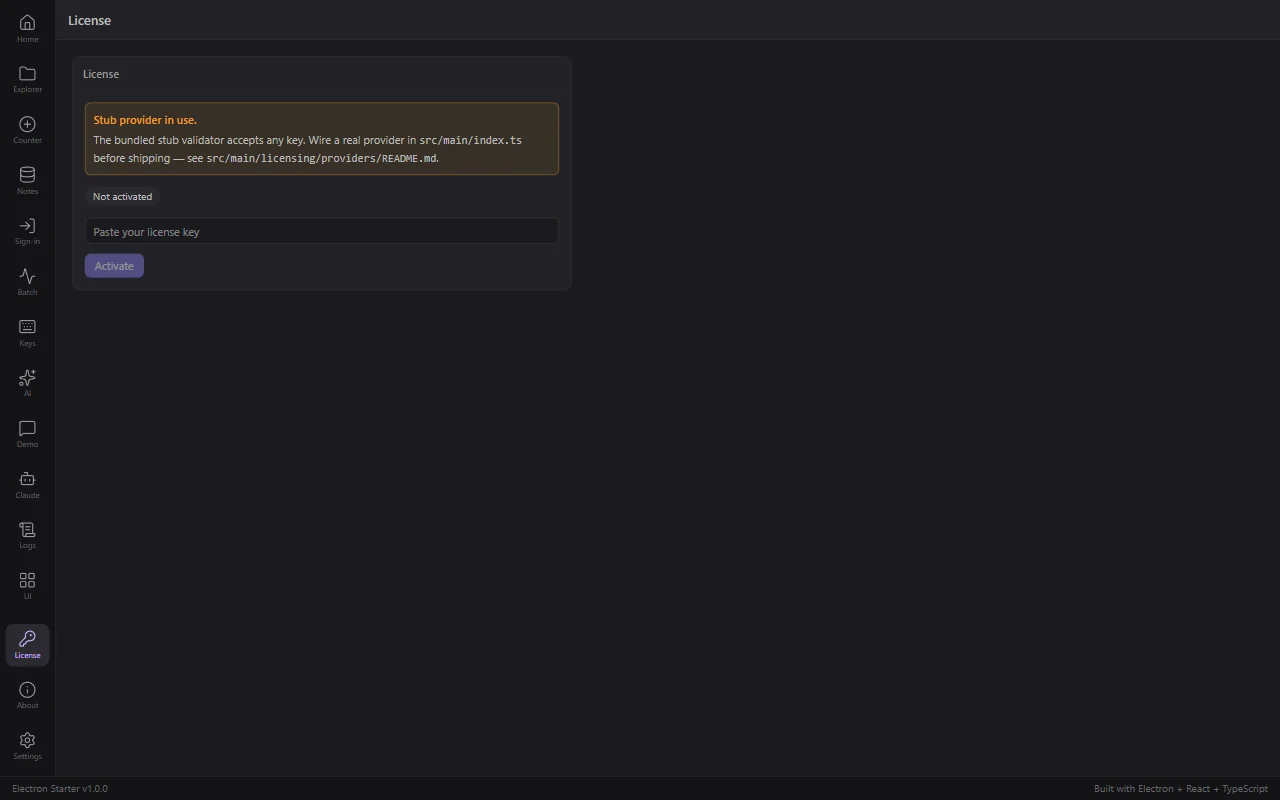
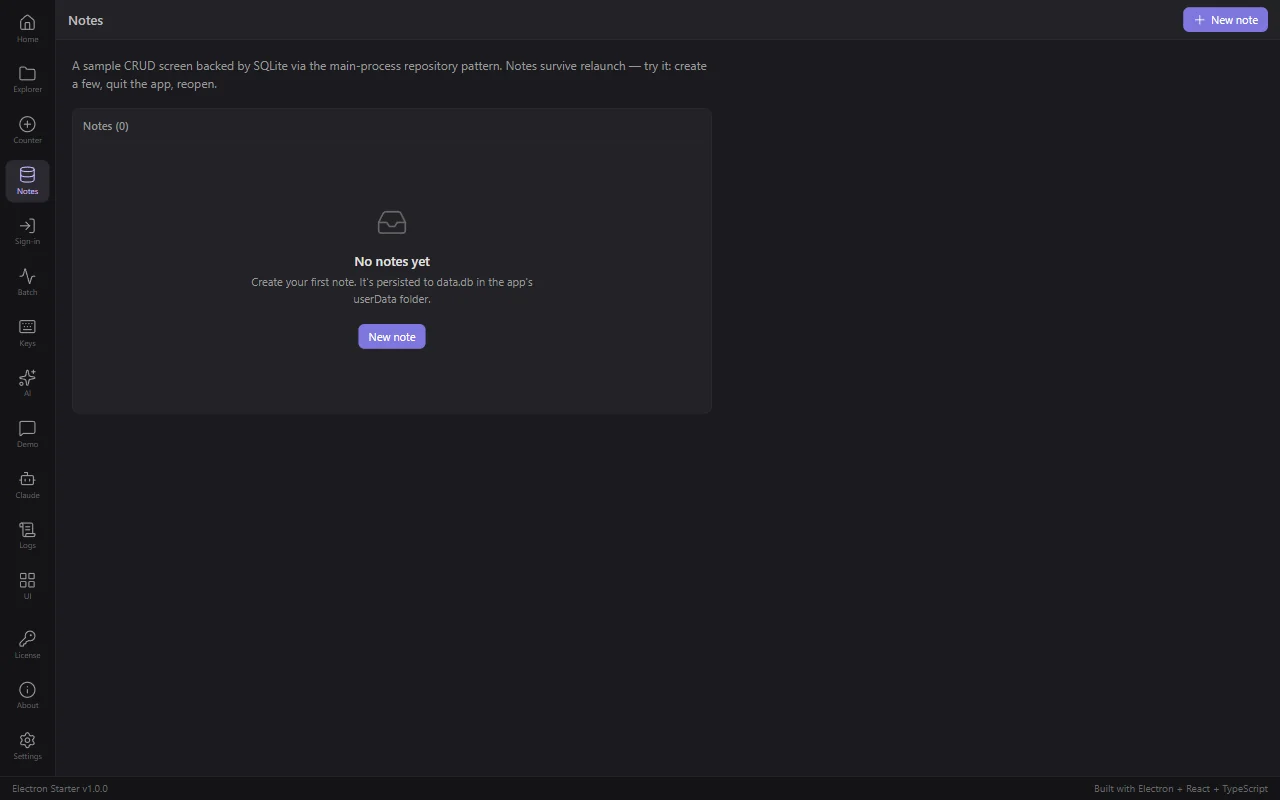
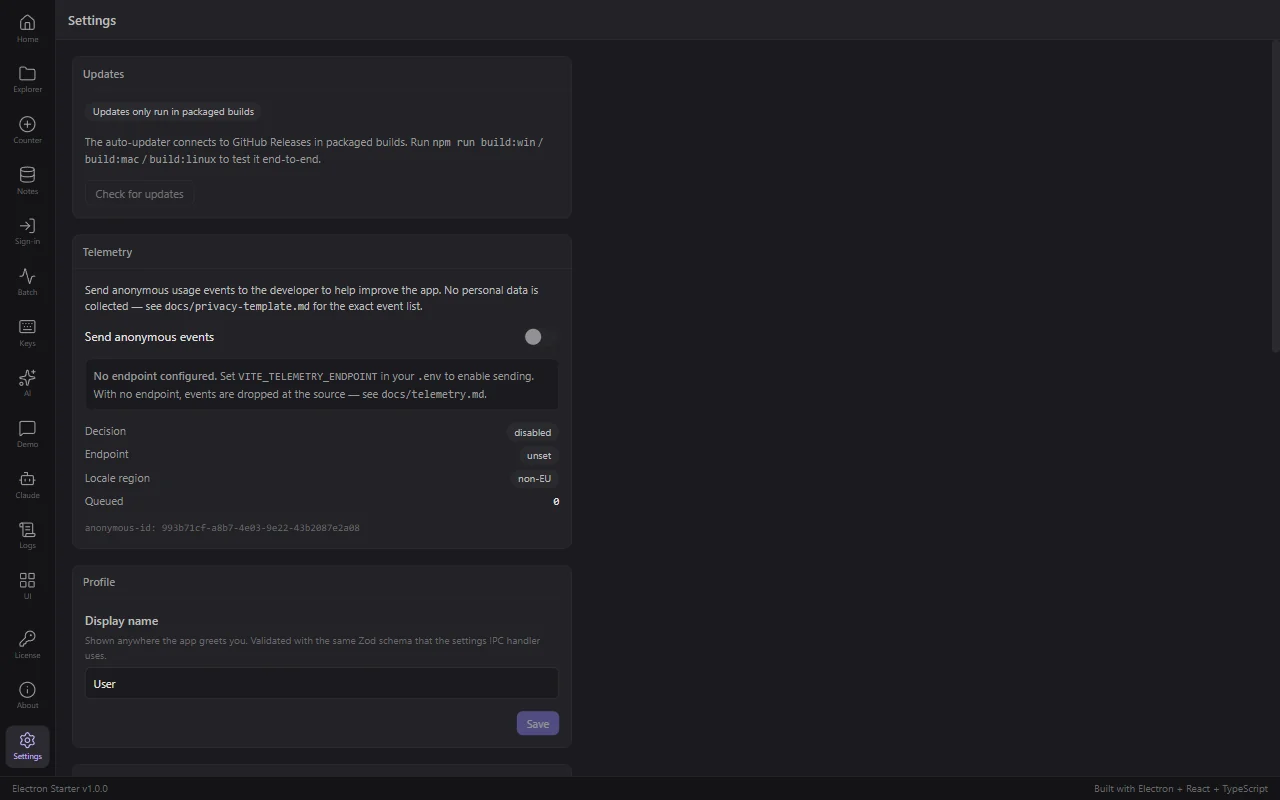
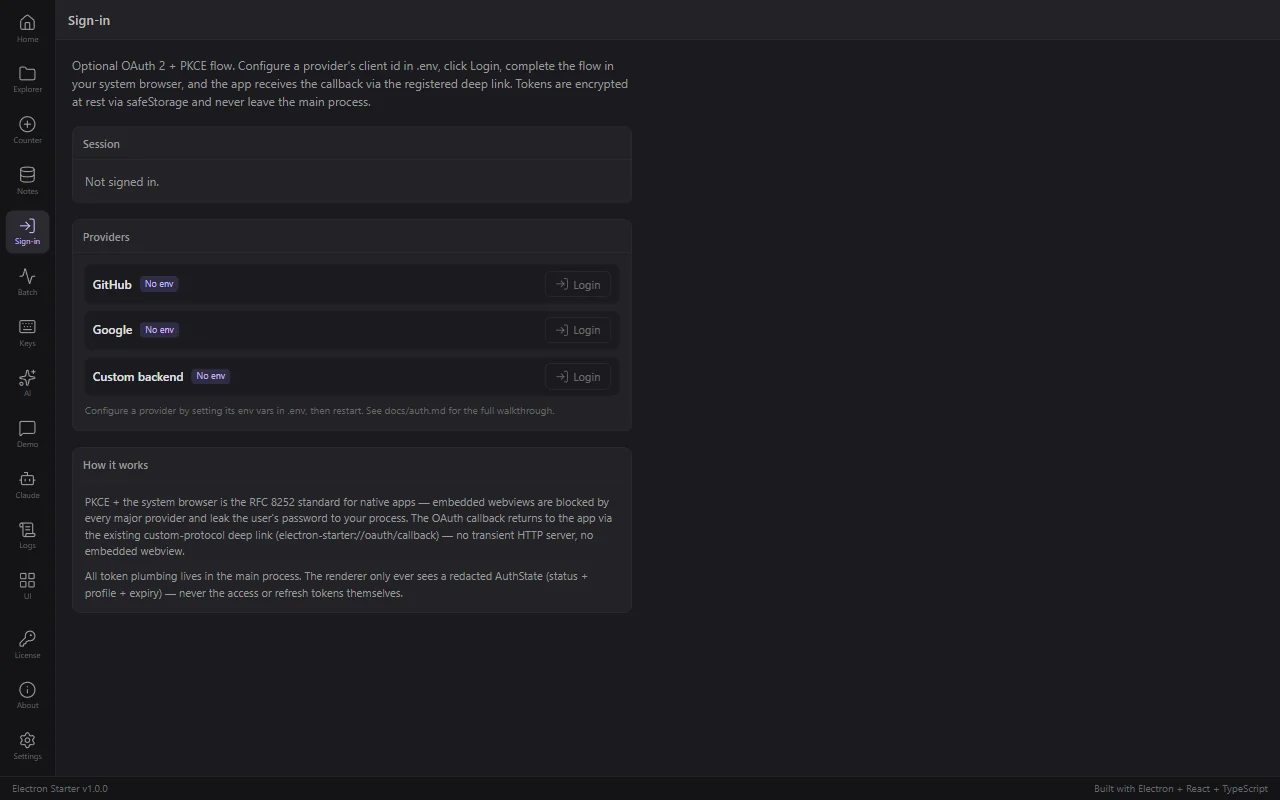
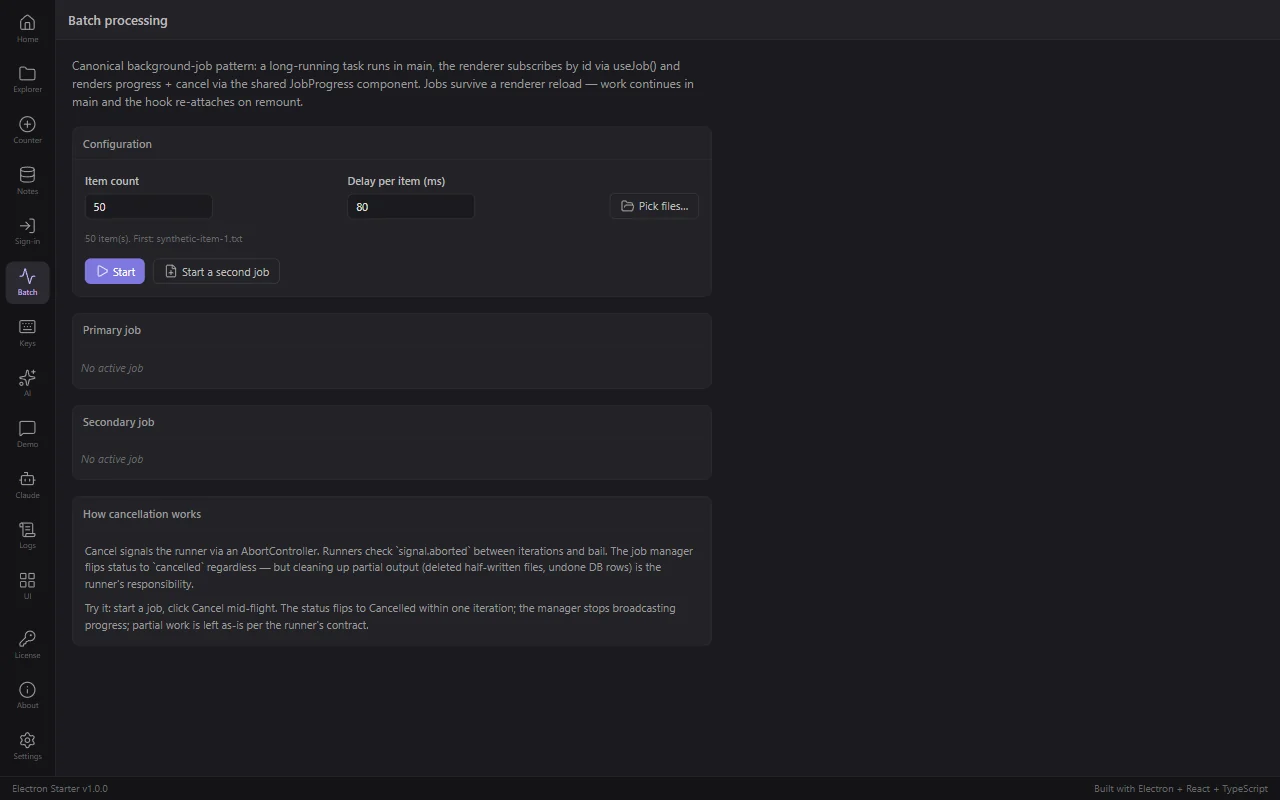
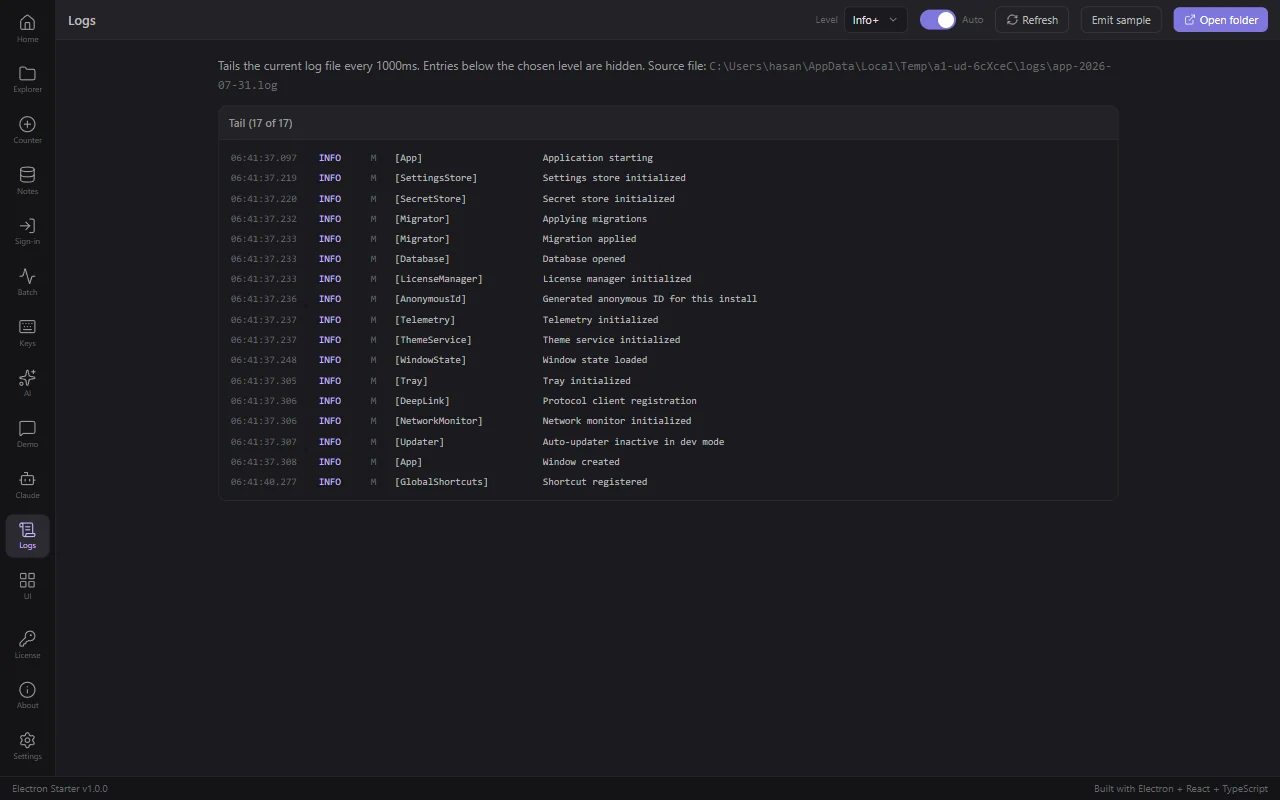
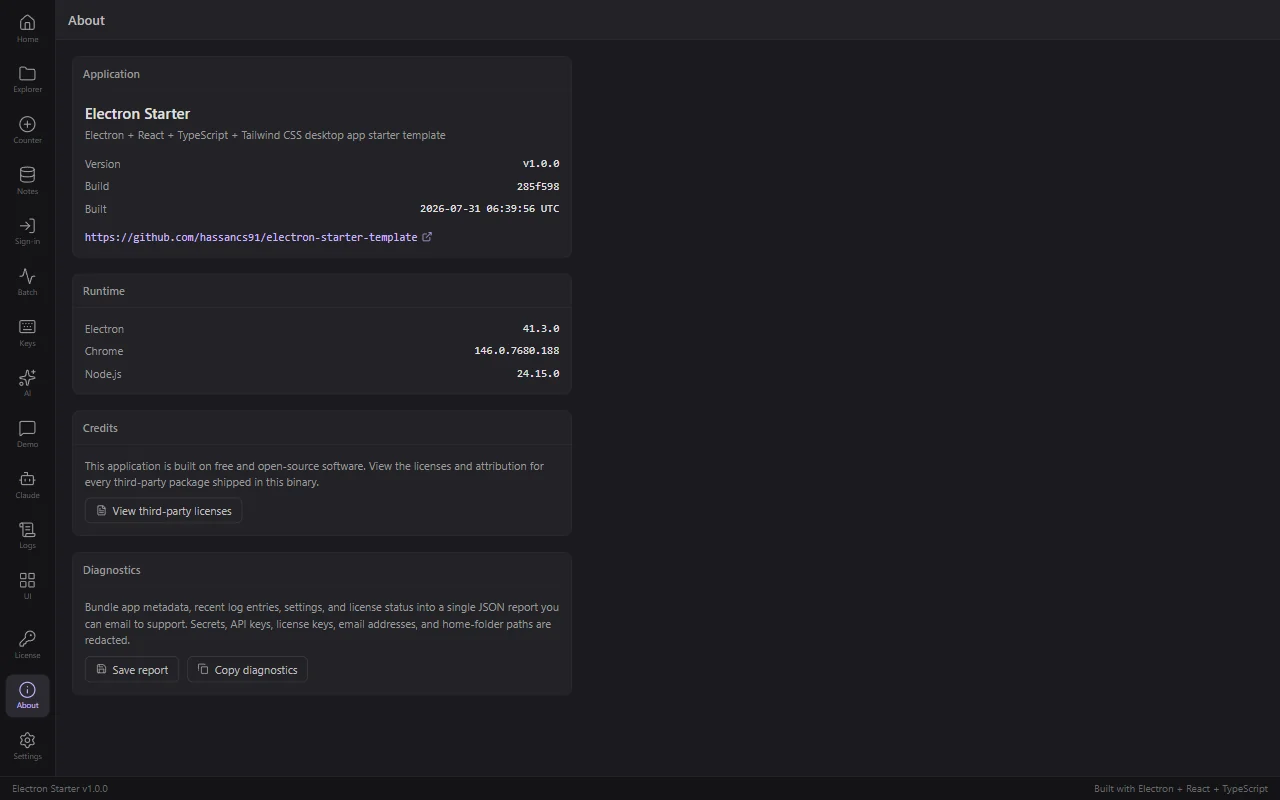
The app shell: sidebar navigation, 15 working screens, theme switcher, status bar The Components screen. 45 primitives your agent can find instead of rewriting A feature an agent added in this repo, following the existing pattern Claude Agent SDK running inside the desktop app API keys for OpenAI and Anthropic, encrypted and out of the renderer License activation, with the 7 day offline grace window Notes, backed by SQLite with migrations and typed repositories Settings: theme, language, telemetry consent, auto-launch, API keys OAuth 2 with PKCE through the system browser and a deep link callback Background jobs with progress reporting and cancellation The in-app log viewer, the first thing you want when a buyer reports a bug About, with the update channel and one-click redacted diagnostics
This template vs. the alternatives
The middle column is measured, not guessed: the same AI agent, given the same request, three times, in a plain electron-vite scaffold instead of this repo.
| Feature | This template | Build from scratch | Generic boilerplate |
|---|---|---|---|
| Same structure when your agent builds the same feature twice | 83% | 61% | ~ |
| Agent writes a test without being asked (3 of 3 runs) | |||
| Agent leaves your app shell alone (3 of 3 runs) | ~ | ||
| Written rules the agent reads first | 950 lines | none | a README |
| Generators that wire a new feature | |||
| Validated IPC on every channel | |||
| Auto-update, verified against a real feed | |||
| Code signing and notarization set up | |||
| License activation with offline grace | |||
| Themed UI components | 45 | write them | some |
| SQLite with migrations and repositories | |||
| Tests covering the main process | 78 | yours to write | few |
| Time to a running app | ~30 seconds | ~3 weeks | ~1 week |
You'll get the most out of it if…
You build with Claude Code, Cursor or Copilot
You describe features rather than typing them. What you need is a codebase that tells your agent where things go, so the fiftieth feature still fits the first.
You have shipped web, never desktop
Installers, code signing, auto-update and licensing are all solved here. You do not have to learn which Electron edge cases matter before your first release.
You are building an AI tool that needs to be native
Local files, a long-running agent process, tray, notifications, real filesystem access. The Claude Agent SDK is already running on its own screen.
You are a small team adding a desktop app
One shared set of conventions that both your people and your agents follow, so the codebase does not fork into two styles in a month.
Buy it solo — or bundled and save
Just this boilerplate, or a bundle that unlocks the courses and every other boilerplate too.
Electron 41 + React 19 + TypeScript desktop app boilerplate built for Claude Code, Cursor and Copilot. 950 lines of rules your agent reads first, so feature fifty looks like feature one.
- Desktop App Boilerplate $49
- Lifetime access to all updates
The course + all 4 boilerplates.
- Build With AI 1.0Course $149
- Desktop App Boilerplate $49
- Python MCP Server Boilerplate $79
- Mobile App Boilerplate $59
- Django SaaS Boilerplate $49
- Private Discord community $99
- Lifetime access to all updates
Every course, boilerplate, and product I build, in one bundle.
- Agentic Automation 3.0CourseComing · In production $149
- Build With AI 1.0Course $149
- Self Hosting 2.0Course $69
- Vibe Engineering Blocks $0
- Vibe Engineering Blocks Full Edition $29
- Desktop App Boilerplate $49
- Python MCP Server Boilerplate $79
- Mobile App Boilerplate $59
- Django SaaS Boilerplate $49
- Business Ideas Database $49
- Private Discord community $99
- Lifetime access to all updates
Frequently asked questions
Does this actually change what my AI agent produces?
It changed it measurably. We gave Claude Code the same one-sentence request three times in this repo and three times in a plain electron-vite scaffold. Here it touched the same 13 files every run and wrote a unit test every run without being asked. In the bare scaffold it invented a different file layout each time, rewrote the app shell each time, and wrote no tests at all. Both versions worked; only one of them would still make sense at feature twenty.
Do I need to be able to code?
You need to be able to read code well enough to tell when something looks wrong, and to describe what you want clearly. You do not need to write React or learn Electron. The docs on this site are written for that: each step is the prompt to give your agent, what it should have touched, and how to check it worked, with the code shown afterwards for when you want to read it.
What exactly do I get?
An invite to a private GitHub repository with the full source: 334 tracked files, 45 UI components, 15 working screens, 78 passing tests, 19 reference docs, and the 950-line CLAUDE.md your agent reads. Clone it, run npm run rebrand, ship under your own name. Repo access is for the life of the product, so updates arrive with git pull.
Is it slower to work in a big codebase like this?
Yes, slightly, and the number is worth knowing: across three runs the agent took about 32 percent longer per feature here than in an empty scaffold, because it reads the conventions first. You are trading a couple of minutes per feature for not having four architectures by the end of the month.
How long until I see it running?
Measured on a fresh clone: git clone 4.7 seconds, npm install 25 seconds on a warm npm cache, npm run setup under a second, and the window opens 2.3 seconds after npm run dev. A first ever install takes a few minutes longer because Electron downloads its own runtime.
Electron vs Tauri: why does this template use Electron?
Tauri produces smaller binaries. Electron wins when you want the Node ecosystem without writing Rust: better-sqlite3, electron-updater, electron-store and the Claude Agent SDK all work immediately, and there is far more training data for your agent to draw on. This template runs Electron 41 with sandbox and contextIsolation on by default.
How do updates reach my customers?
electron-updater is wired for GitHub Releases, which needs one env var, or any S3 compatible host such as Cloudflare R2, Backblaze B2 or MinIO. npm run publish uploads the artifacts and the feed. The docs walk through verifying the first release, because an update feed pointing at the wrong filename fails silently.
What do I need for code signing?
For Windows, an Authenticode certificate from a CA such as SSL.com or DigiCert, around $200 a year. For macOS, an Apple Developer account at $99 a year. The signing and notarization scripts are already in the build. Unsigned builds run fine while you develop.
Can I ship a commercial app with it?
Yes. The license is a single-app commercial license: one commercial desktop app per purchase, priced however you like, and you keep all the revenue. A second product needs a second license.
Is there a refund policy?
Yes. If it does not work for you, email me within 14 days for a full refund. No questions asked.
Give your agent a codebase with opinions.
$49 once. Lifetime updates. One commercial app.
Get Desktop App Boilerplate →