Consistent AI Characters: Build a Full Narrated Story with Claude Code
 Hasan Aboul Hasan
Published 2026-07-08
Updated 2026-07-17
Hasan Aboul Hasan
Published 2026-07-08
Updated 2026-07-17
I use Claude Code to turn a short story into a full illustrated, narrated storybook, with the characters staying consistent from the first page to the last. Consistency is the hard part, and it is what this guide is about. The fix is not a fancy model. You write down exactly what each character looks like, turn that into a reference image, and feed it into every scene. Images run on Nano Banana or Seedream, narration on ElevenLabs, and the whole book comes out as one HTML file you can open anywhere. A full story costs a dollar or two.
- A repeatable way to keep one character looking identical across dozens of AI images
- A full story pipeline: split, illustrate, narrate, and package, all driven from Claude Code
- An interactive HTML storybook that plays image and narration together, offline
- The free skills behind all of it, ready to drop into
.claude/skills/
Ok, let's start!
Anyone can generate one nice picture of a 10-year-old boy with AI.
The wall everyone hits is the second one. Ask a model for "the same boy, now watering the flowers" and you get a different boy. New face, new hair, new clothes.
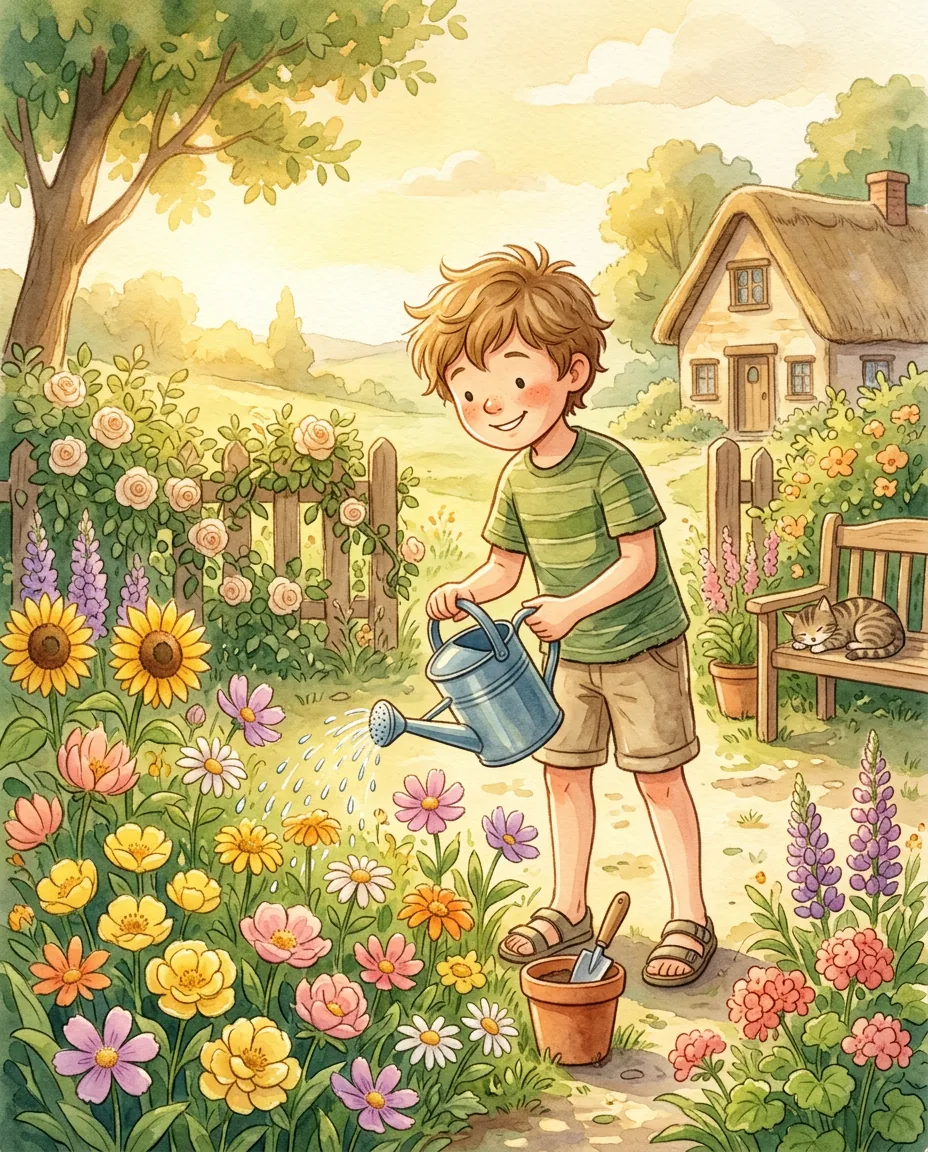
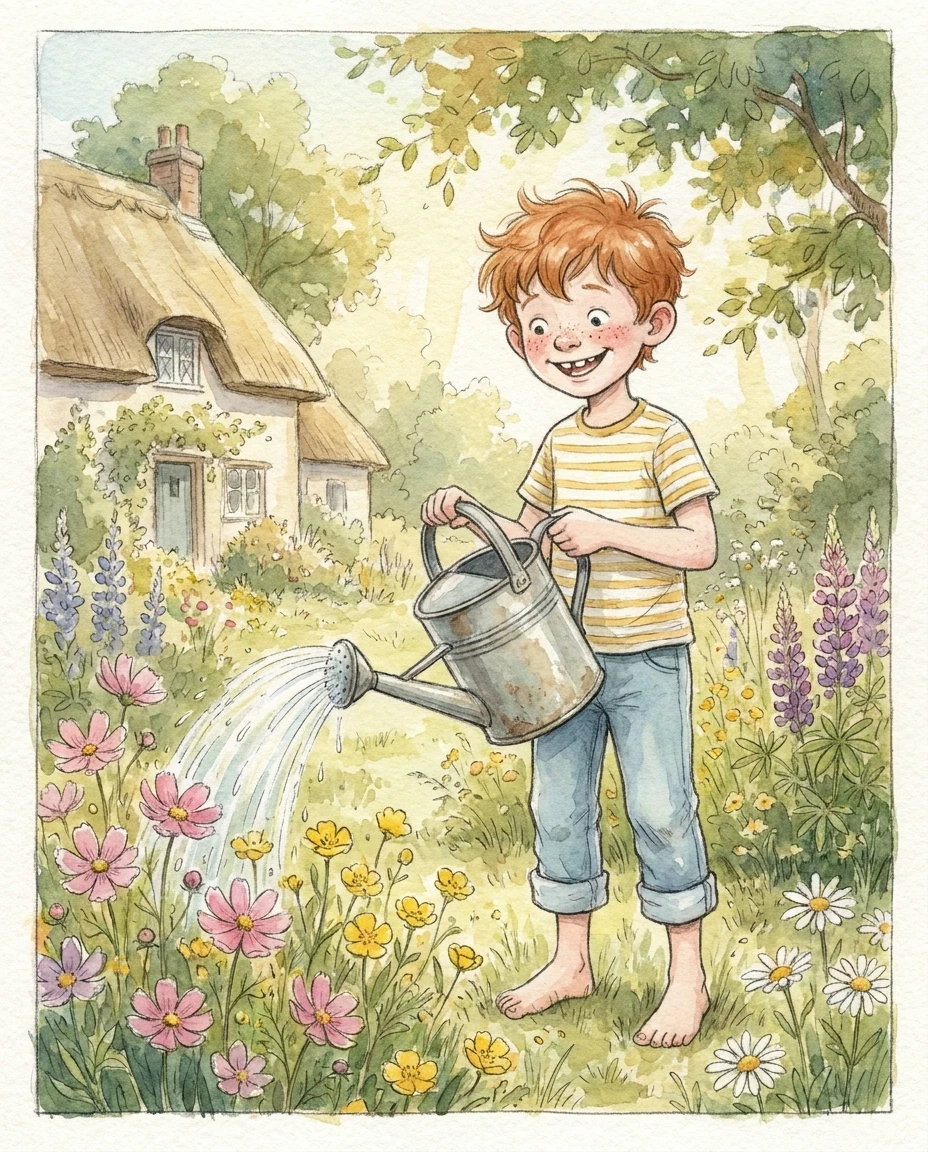
Same prompt, twice. Two different boys. That is the wall.
This guide is how I get past that wall. I hand Claude Code a short written story, and it comes back with a finished storybook: ten watercolor scenes, a warm narrator reading every page, and one web page that plays the whole thing.
The same three characters carry the whole story. And they actually stay the same, page to page.
Watch the story first
This is a real story I built with the pipeline in this guide, start to finish. Every frame is generated, the narration is an AI voice, and the whole thing is one HTML file.
Press play and watch the girl in the yellow dress, the boy in the green cap, and their grandmother stay the same people from the first page to the last.
That consistency is not luck, and it is not one clever prompt. It is a small system. Here is how it works.
Why AI characters drift
An image model has no memory. It never saw the last picture it made. Ask it a second time for "a little girl with brown curly hair" and it builds a new girl from scratch. Same words, different child.
That is character drift. It is the single reason most AI storybooks look like a stack of unrelated pictures instead of one story.
So the fix is not a better prompt. It is to give the model the same reference picture for every scene, so it copies the character instead of re-inventing it.
The pipeline: one story in, a storybook out
The fix is to stop asking for pictures and start running a small assembly line. One English story goes in one end. A finished, narrated storybook comes out the other. Four Claude Code skills do the work, in order, each handing its output to the next:
A fifth skill, the orchestrator, just runs those four in the right order so you can say "make a storybook from this" and walk away between approvals. The one that earns the whole thing is story-illustrator, the image step. That is where consistency is made or lost.
The consistency method (the core)
Three moves keep the characters locked. A bible, reference plates, and a cascade. Miss any one and the drift creeps back in.
1. The visual bible
Before any scene is drawn, Claude reads the whole story and writes a visual bible: a model sheet that pins down exactly what everyone and everywhere looks like. Not vague. Specific enough that there is nothing left to re-invent.
Here is the real bible entry for the little girl in the story above:
Mira - the older sister (~7)
- Warm brown skin, round face, big dark-brown eyes, light freckles.
- Dark curly hair in TWO round puffs, each tied with a small red ribbon.
- Short-sleeved buttercup-yellow dress with tiny white polka dots.
- White ankle socks, white canvas sneakers.
- Distinguishing: the two red ribbons + polka-dot dress. Carries the
  sky-blue watering can.
Vague descriptions drift. Specific ones hold. "Curly hair" can become anything; "two round puffs, each with a small red ribbon" comes back the same every time. The bible also locks the locations, the props (three specific watering cans), and one style line that goes into every prompt.
2. One reference image per character
The bible is words, and words still leave room for interpretation. So the next step turns each character into a picture: one clean, full-body reference plate on a plain background, generated once.
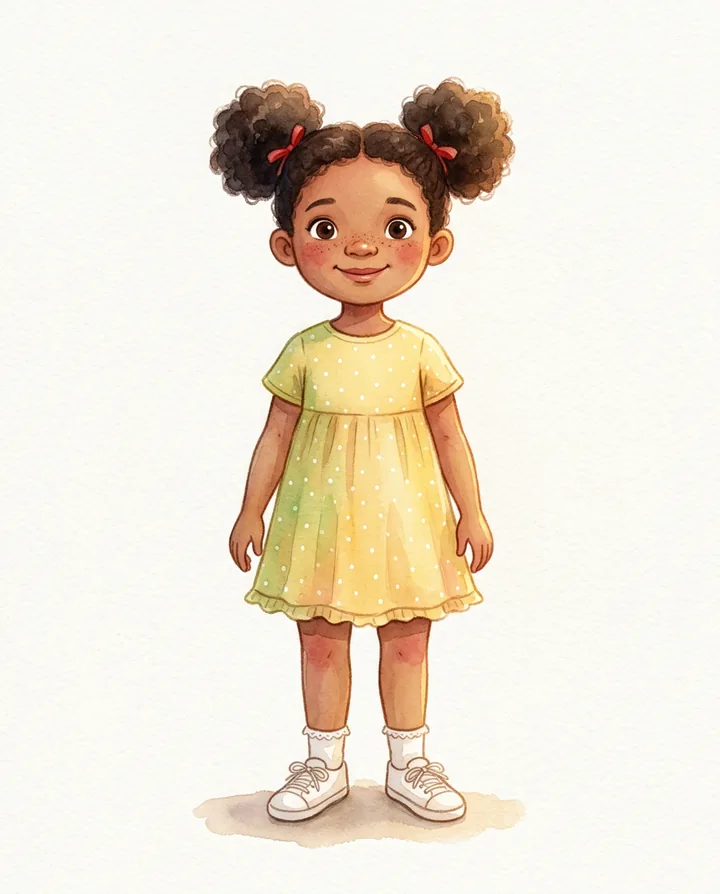
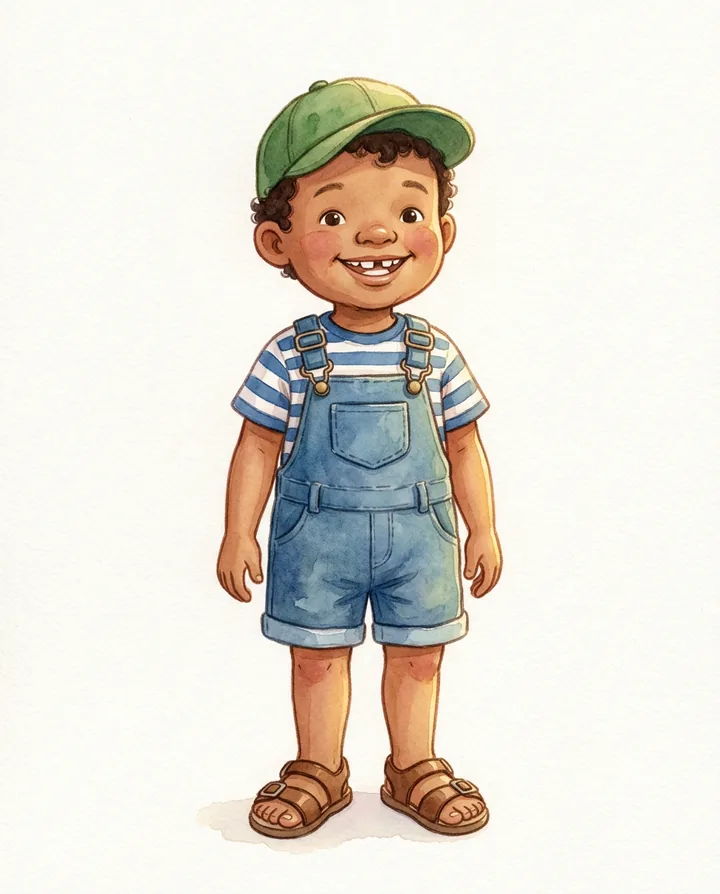
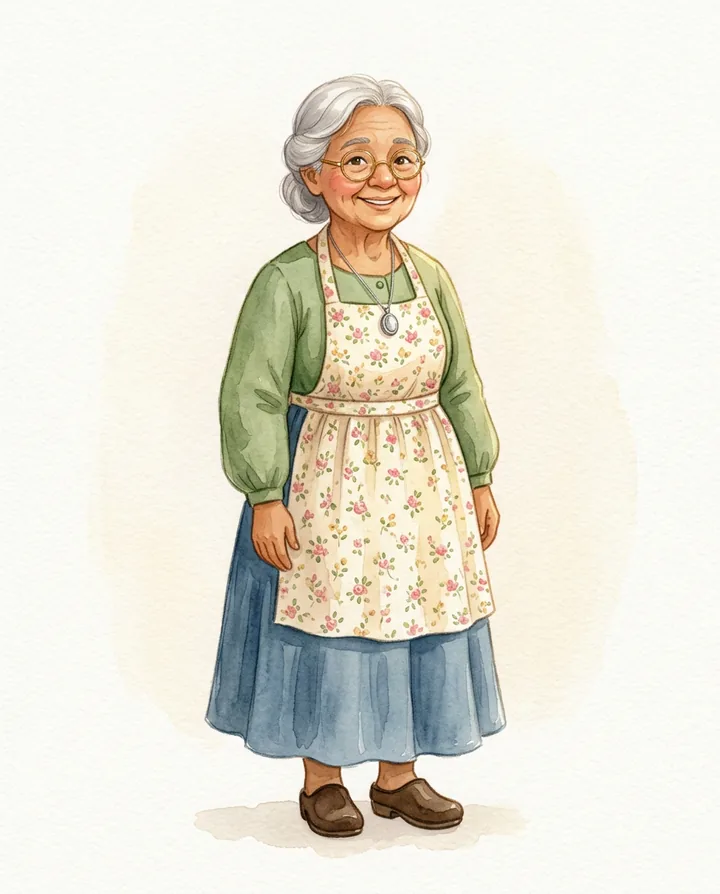
These three plates are the anchor. Every scene prompt from here on carries them as reference images.
Because the plates ride along with every prompt, the model copies each character's face, hair, and clothes no matter what they are doing in the scene. One plate per character, never a group portrait, so the model can re-pose each one without dropping anybody.
3. The cascade keeps the thread
Reference plates fix who the characters are. The cascade fixes continuity between neighboring pages. When two scenes happen in the same place, moments apart, the pipeline hands the new scene one more reference: the previous finished image.
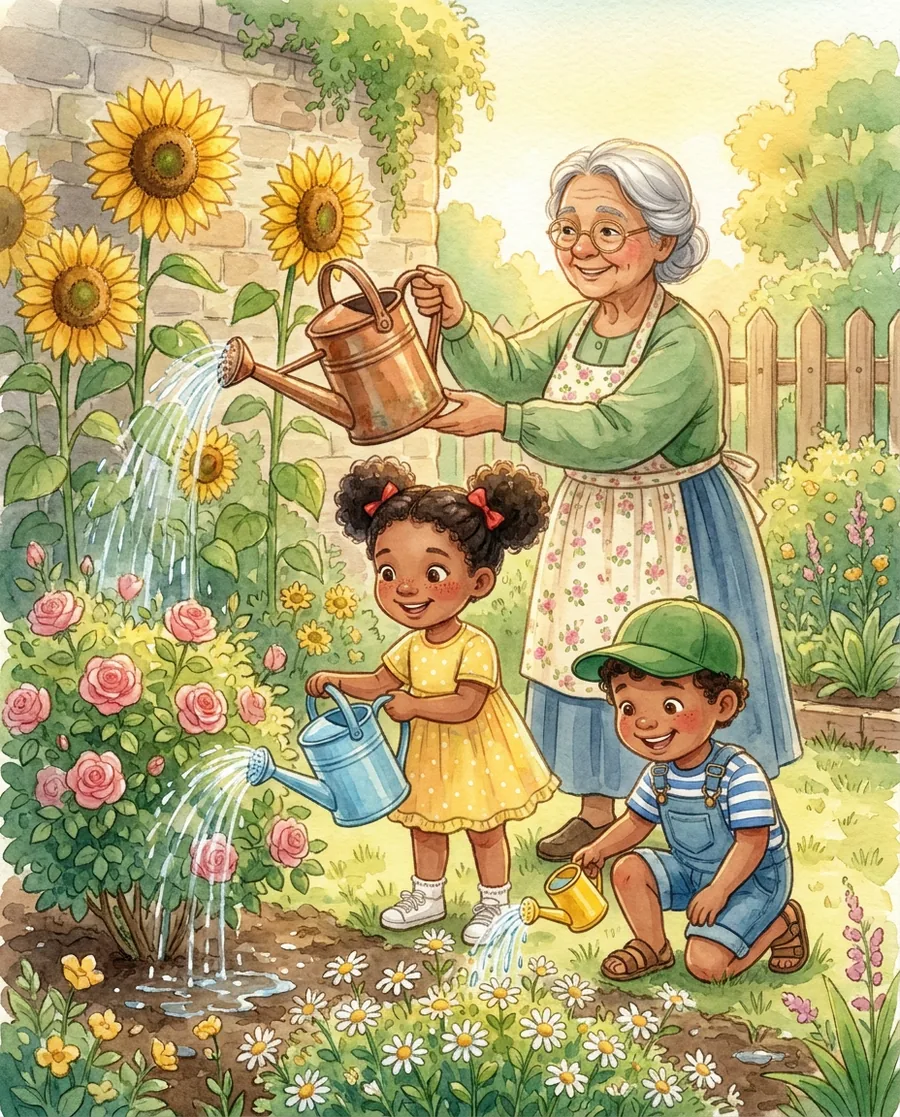
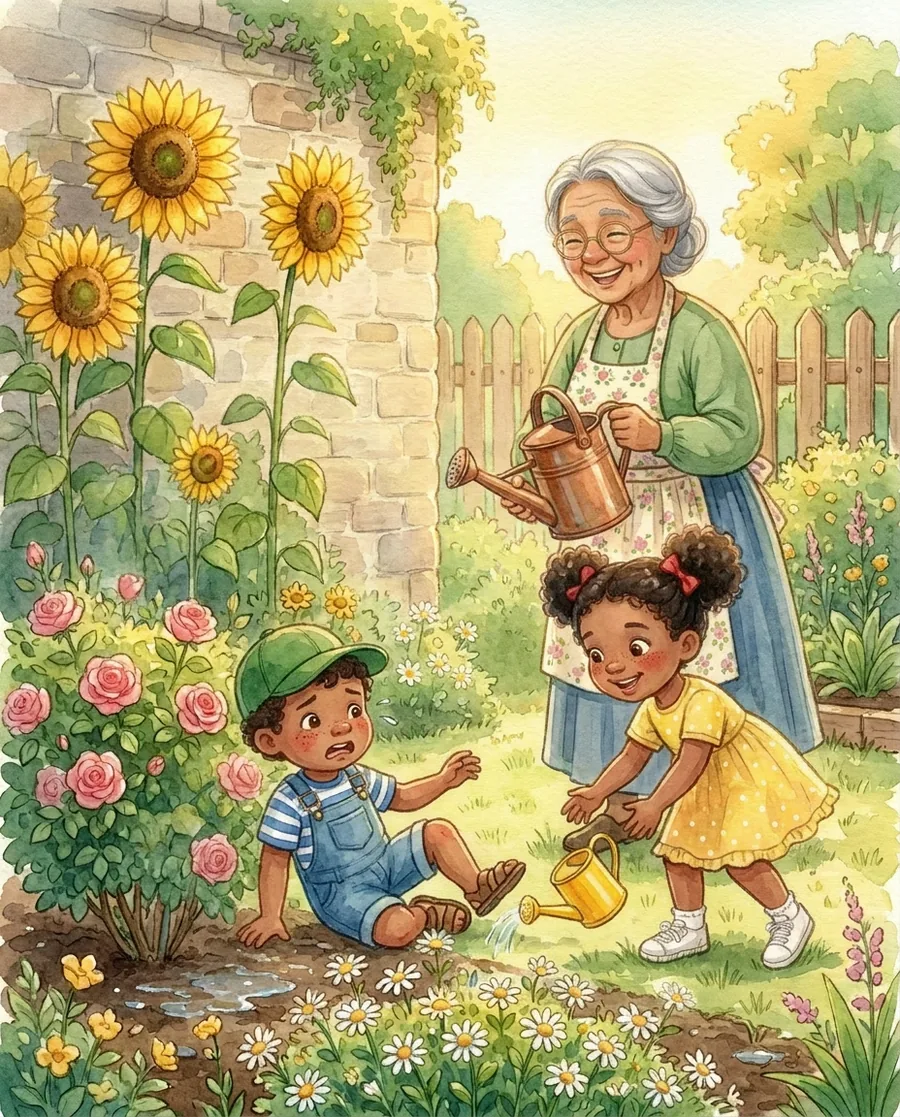
Because scene 7 was handed scene 6 as a reference, it does not just know what Theo looks like in theory. It sees exactly how he looked a moment ago and carries the clothes, the lighting, and the mood straight through the fall.
The pipeline classifies each cut (same place and time, a jump to a new place, a tiny change, or a real change like getting wet) and picks which references to pass for each. That classification is the difference between a slideshow and a story.
Want to try this on your own characters?
The full story pipeline, plus every other image skill I have built for Claude Code, is one open repo. Clone it and drop the skills into .claude/skills/.
Generating the whole story
With the bible and plates in place, story-illustrator walks the scene list and generates one image per scene. Each prompt is short on purpose: the same locked style line, the scene's action, and the reference plates doing the heavy lifting. It does not re-describe Mira every time, because the plate already says who she is.
Images go through the Fal API, which gives you a few models to pick from. This is the honest trade-off table:
| Model | Cost / image | Best for |
|---|---|---|
| Nano Banana 2 (Google) | ~$0.08 | Reference plates and single-character scenes. The default. |
| Nano Banana Pro (Gemini 3 Pro Image) | ~$0.15 | Scenes with two or more characters in frame, fine detail. |
| Seedream 5.0 Lite (ByteDance) | ~$0.035 | Cheapest option and a different look. Good for testing, and the newer Seedream now holds faces steadier. |
My default is a smart mix: pay for the Pro model only on the scenes where two or three characters must stay coherent in one frame, and use the cheaper one everywhere else. Here is the same cast holding together across very different beats, from the wilting garden to twirling in the rain to warm cocoa on the porch:
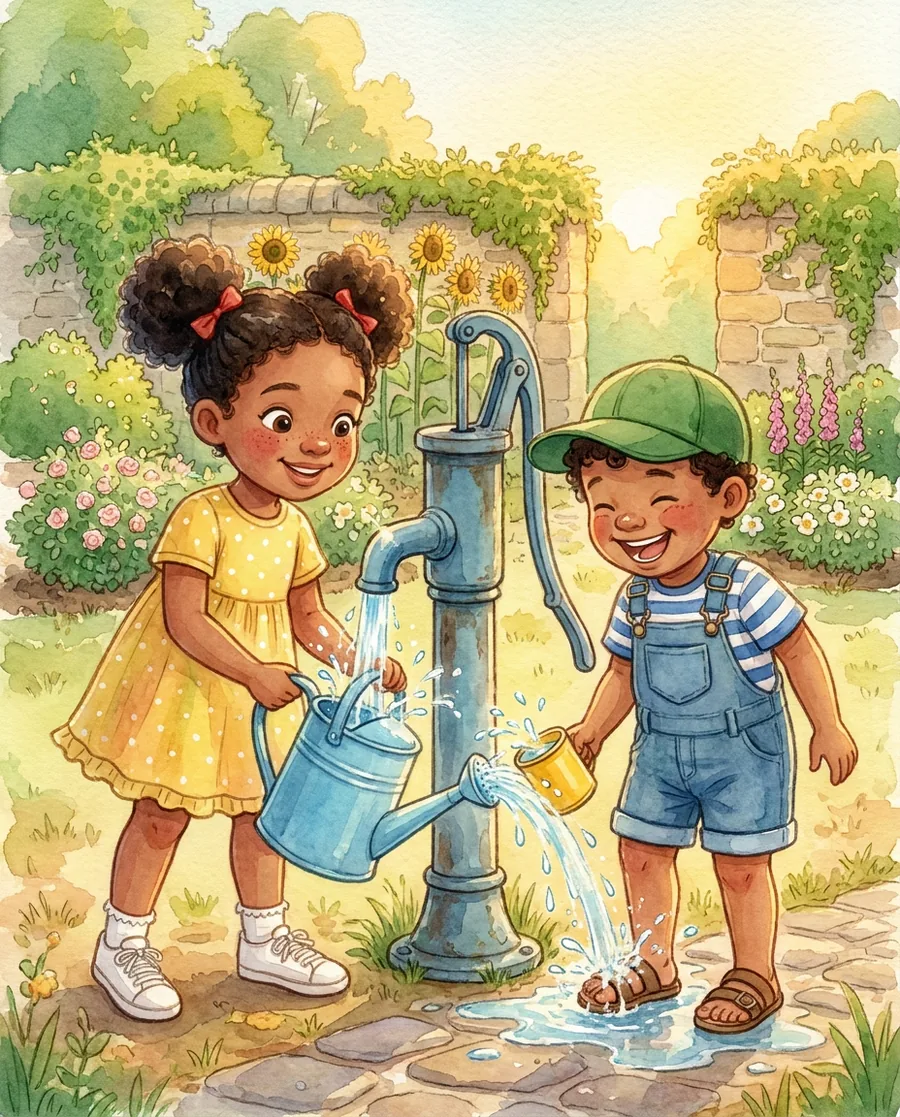
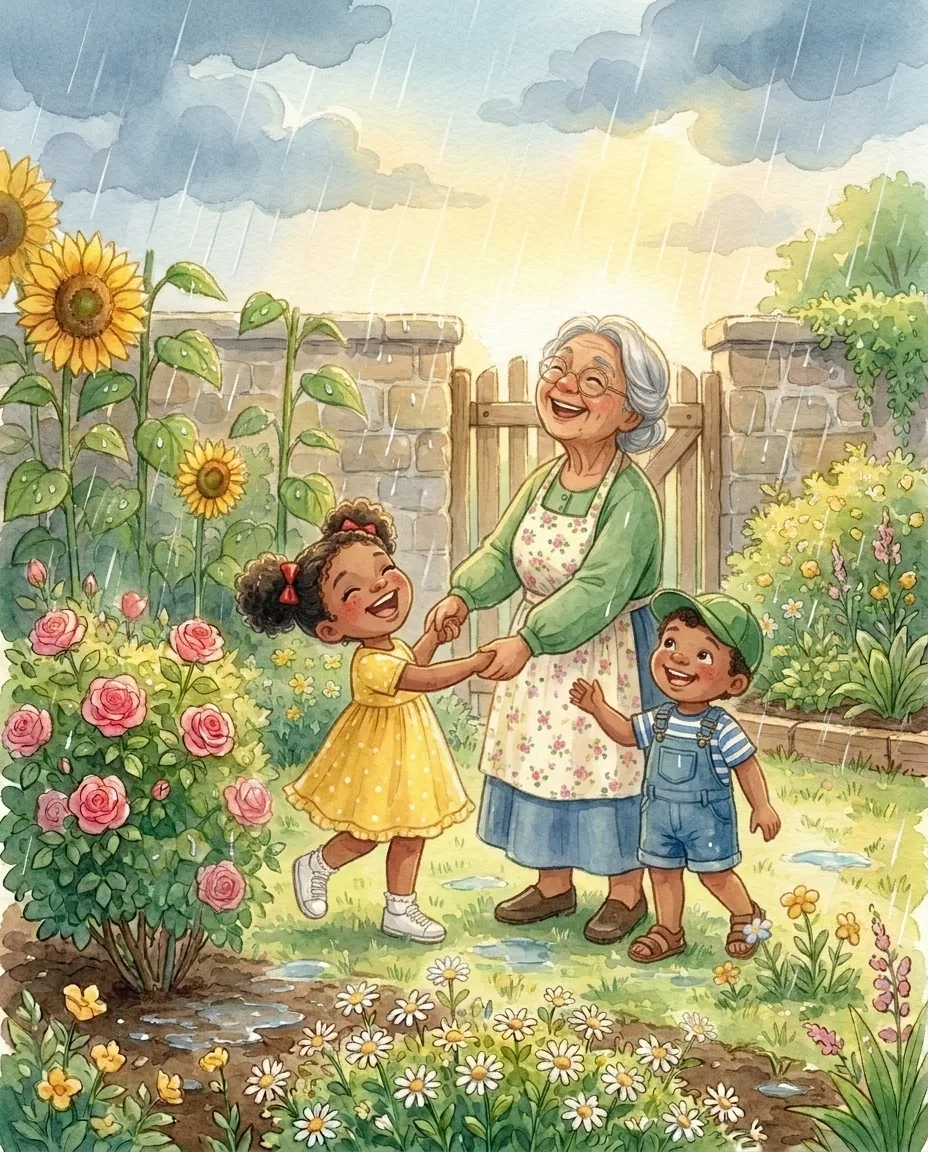
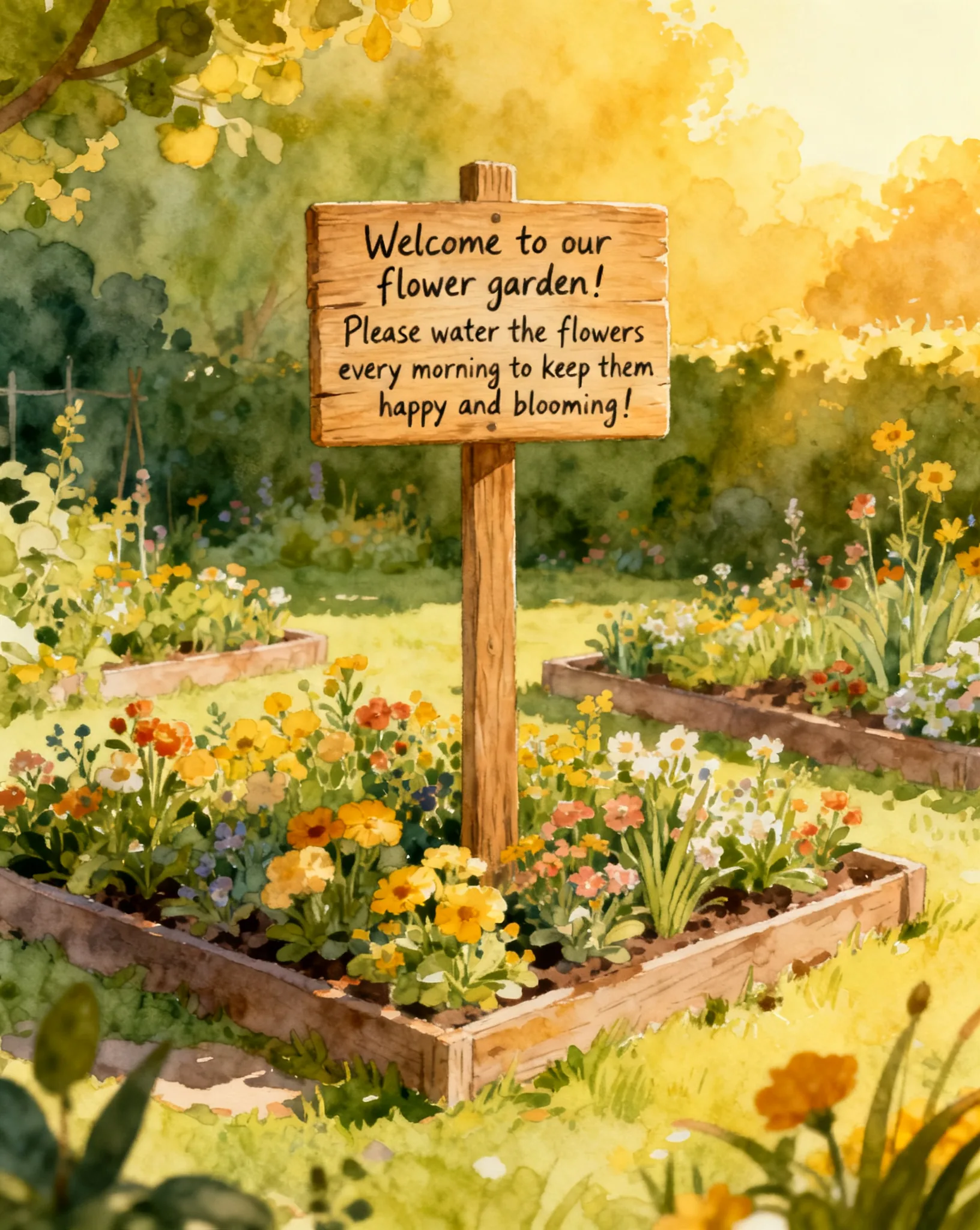
One small rule does a lot of quiet work here: every prompt bans text and borders. Not because the models cannot spell, they mostly can now. It is that a storybook page should be pure picture. The words belong in the narration, not painted onto a sign in the corner. And models love to wrap a scene in a decorative frame when you want the art to run edge to edge. Banning both, in every prompt, keeps the pages clean.
Adding the narration
Pictures are half a storybook. The other half is a voice. The narrator skill reads the same scene list and generates one narration clip per scene with the ElevenLabs MCP, saved so clip 7 pairs with picture 7.
It is the same principle as the images, pointed at audio: one warm storyteller voice for the whole book, so it sounds like a single person reading to a child, not ten different narrators.
The narration runs on ElevenLabs v3, which reads small emotion tags keyed to each scene's mood: [gently] before a quiet page, [excited] before a big one. One or two per scene, never more, or it starts to read choppy.
The images talk to Fal through a plain script, but the narration talks to ElevenLabs through an MCP server. Same job, two different ways to connect Claude Code to the outside world. The toolkit shows both on purpose, so you have a template for each.
Building the interactive player
The last skill is the packager. It takes the numbered images and the numbered audio clips, pairs them by index, and writes one self-contained HTML file: picture 1 with narration 1, picture 2 with narration 2, all the way through, with the images and audio baked directly into the file.
That last part matters. Nothing is linked from the internet. The whole storybook, art and voice, lives inside a single page you can email, host anywhere, or open offline. The player you pressed at the top of this guide is exactly this output. Nothing was added by hand.
🧭 New to Claude Code skills? A skill is a folder with an instructions file: a playbook you write once and Claude follows forever. This whole pipeline is just five of them handing work down a line. Going from "I get skills" to shipping a real product on this pattern is what Build With AI 1.0 covers.
Gemini Storybook vs. building your own
Google shipped a Storybook feature inside Gemini, and it is genuinely fun. You type a prompt, it makes an illustrated, narrated story in a couple of minutes. So why build your own pipeline at all?
Honestly, if you want a one-off story to read your kid tonight, use Gemini Storybook. It is faster and it is free. I am not going to pretend otherwise.
You build your own when you want the things a closed feature will not give you:
- Your choice of model. Nano Banana, Seedream, or whatever ships next month. You are not locked to one vendor's look.
- Your own narrator. Any ElevenLabs voice, including one you cloned. Not a fixed house voice.
- You own the output. A plain HTML file you can host, sell, brand, or embed in your own app. Not a page inside someone else's product.
- It is repeatable and scriptable. Same process for story number two and number two hundred. You can wire it into a product.
- Any length, your rules. Ten scenes or a hundred, your continuity logic, your style.
The trade is simple: convenience for ownership. This guide is for the builders who want the second one.
What it costs
This guide is different from the other two in the set. Those two are free to run. This one is not. It calls paid APIs, so know the number before you start.
| Piece | Service | Rough cost |
|---|---|---|
| Reference plates (about 5) | Fal (Nano Banana 2) | ~$0.08 each |
| Scene images (about 10) | Fal (Nano Banana 2 or Pro) | ~$0.08 to $0.15 each |
| Narration (about 1,500 characters) | ElevenLabs | ~$0.15 to $0.25 |
| A full 10-scene story | ~$1.50 to $2.50 |
So a finished, narrated, illustrated storybook costs about the price of a coffee, once. The skills are free. You bring a Fal key for the images and an ElevenLabs key for the voice. Prices drift, so check each provider before you plan a big batch around these numbers.
Get the pipeline (free)
Everything on this page comes from my claude-image-generation toolkit, an open repo you can clone, not just the story pipeline:
- The full story pipeline: the five skills from this guide, splitter, illustrator, narrator, publisher, and the orchestrator that runs them
- The
cf-imageskill: free flux images via Cloudflare Workers AI - Two "no AI model" image skills: a code-based design engine and a Three.js 3D renderer, both $0 to run
The Claude Code image-generation toolkit
Every skill above, ready to drop into .claude/skills/. Hand Claude a story, get a narrated storybook back.
New to generating images in Claude Code? Start with the two sibling guides: real graphics from pure code for perfect-text design work, and free AI images via Cloudflare for photos and scenes. This guide is the advanced end of the same toolkit.
FAQ
Which AI model is best for keeping characters consistent?
The pipeline uses Nano Banana 2 and Nano Banana Pro (Google's Gemini image models) and Seedream from ByteDance (the current versions are Seedream 4.5 and the cheaper Seedream 5.0 Lite), all through the Fal API. Nano Banana Pro is the strongest when two or more characters share a frame; Nano Banana 2 is cheaper and fine for single-character scenes and the reference plates; Seedream 5.0 Lite is the cheapest and a good different look, and it now keeps faces more consistent. But the model is not the real trick. The consistency comes from feeding reference images into every scene, and any model that accepts reference images can run the same workflow.
Do I need to write code to use this?
No. You write the story and press go. The skills do the image and audio work. You do need Claude Code installed and two API keys (Fal for images, ElevenLabs for the voice), but you never write image code yourself. The normal loop is conversational: approve the character designs, approve the narration script, and review the finished storybook.
How much does one story cost to make?
About one to three dollars for a full ten-scene story. Fal charges roughly $0.03 to $0.15 per image depending on the model, and a short story is around fifteen images counting the reference plates. ElevenLabs narration for a short story is about 15 to 25 cents. The skills themselves are free; you only pay the two APIs for what you generate. Full breakdown above.
Why not just use Gemini's Storybook feature or a no-code app?
Use Gemini Storybook if you want a quick one-off story to read tonight; it is genuinely good. Build your own when you want control and repeatability: your choice of model, your own narrator voice, an interactive player you own, any length you want, and a process you can script and drop into your own product. The trade is convenience for ownership.
How long can the story be?
As long as you want. The demo story is ten scenes. For very long stories, consistency holds better if you re-establish fresh reference plates at the start of each chapter, because a single reference can slowly drift over dozens of images. Break a long book into chapters and re-anchor at each one.
Can I sell the stories or use them commercially?
That depends on the license of the specific image and voice models you use, so check the current terms for Nano Banana, Seedream, and ElevenLabs before you sell anything. The pipeline does not add its own restriction. As always, do not generate a real person's likeness or a trademarked character and assume a license covers you.
What this is part of
Strip away the watercolors and this guide taught one move: break a hard job into small skills, and let each one hand its work to the next. Here the job was a storybook. In a real product it is your architecture, your data flow, your deploy steps, wired the same way.
That is what I cover in Build With AI 1.0. The full course is 38 lessons that walk through:
- Building a full AI SaaS with Python and Django, from empty folder to deployed product
- Wiring LLMs and AI APIs into real features, the same pattern this pipeline used, at product scale
- Directing AI with skills and playbooks instead of copy-paste-and-pray
- Auth, payments, and shipping to real users
Course
Want the full system?
Related


Get the free Vibe Engineering Blocks guide
The exact building blocks I use to ship real products with AI — yours as a free PDF.
Questions & Discussion
Ask a question about this guide →Have a question? Ask it in the community — it's tagged #guide and linked back here. Reading is open to everyone; posting needs a free account.
Loading questions…